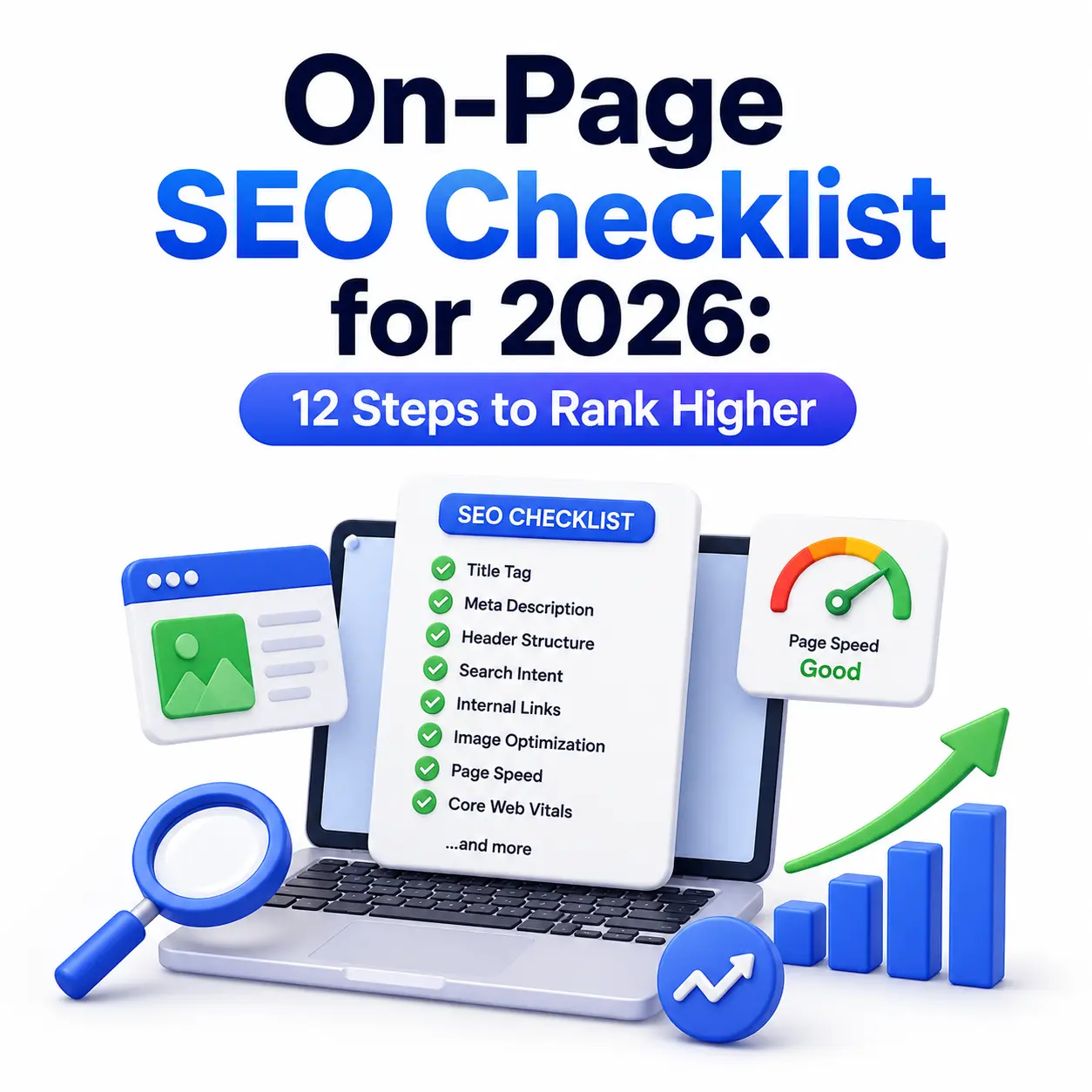
Only 3.45% of web pages get any organic search traffic from Google at all, according to Ahrefs’ 2026 SEO statistics report. That means most content is invisible not because it’s bad, but because it’s not optimized.
If you’ve published a page and watched it sit on page five of Google, you already know the frustration. You wrote something useful, but nobody can find it. That’s almost always an on-page SEO problem, not a content problem.
On-page SEO in 2026 means optimizing your title tag, headings, content structure, internal links, images, and page speed so both Google’s crawlers and its AI Overviews can understand and reward your page. Get these fundamentals right, and you remove the barriers between your content and the people searching for it.
This checklist walks through every element that matters, in the order you should tackle them — starting with a quick primer on how search engines find a website, then moving through title tags, content structure, and Core Web Vitals.
On-Page SEO Checklist
On-page SEO means optimizing individual elements on your page: title tags, headers, content, internal links, images, and page speed so search engines and AI systems can understand and rank it. The core checklist: a keyword-focused title tag under 60 characters, a clear H1-H2-H3 structure, content matching search intent, descriptive alt text, fast load times, and internal links to related pages. None of it works, though, until the page is crawled and indexed in the first place.
1. Write a Title Tag That Earns the Click
Your title tag is the single highest-leverage on-page element, because it directly shapes both rankings and click-through rate. It’s the blue link Google shows in search results, and it’s also the label AI Overviews use when deciding whether to cite your page.
What length should a title tag be?
Keep it between 50 and 60 characters. According to an analysis of over 80,000 title tags by SEO firm Zyppy, titles in the 51–60 character range have the lowest rewrite rate, meaning Google is more likely to display exactly what you wrote instead of generating its own version.
Why does click-through rate matter for rankings?
CTR is a strong (if indirect) engagement signal. A 2025 Backlinko study of live SERPs found the #1 organic result earns an average click-through rate of 27.6%, while position ten gets just 2.4%. A stronger title tag directly moves you toward that top-of-page CTR.
Practical steps for a strong title tag:
- Put your primary keyword near the beginning, not buried at the end.
- Make it a specific, honest promise — “12-Step Checklist” beats “Complete Guide.”
- Avoid duplicate titles across pages; each page needs a unique one.
- Skip keyword stuffing — Google is more likely to rewrite titles that look manipulative.
2. Optimize the Meta Description for Clicks, Not Rankings
A meta description doesn’t directly influence rankings, but it’s your best shot at winning the click once your page is already showing on the results page. Think of it as ad copy for your own content.
Keep meta descriptions between 120–155 characters so they don’t get truncated. Front-load the value: state the specific outcome the reader gets, and include your primary keyword naturally since Google bolds matching terms, which draws the eye.
What makes a meta description effective?
Effective meta descriptions answer “why should I click this result instead of the nine others?” A strong one names a concrete benefit (a number, a timeframe, a specific outcome) rather than restating the title in different words.
What makes a meta description effective?
A good meta description gives users a compelling reason to choose your page over other search results. Rather than repeating the title, it emphasizes a clear benefit, such as a measurable result, a timeframe, or a specific outcome.
3. Structure Content With Clear Header Hierarchy
Headers aren’t formatting decorations; they’re the skeleton that tells Google and AI Overviews exactly what your page covers and in what order.
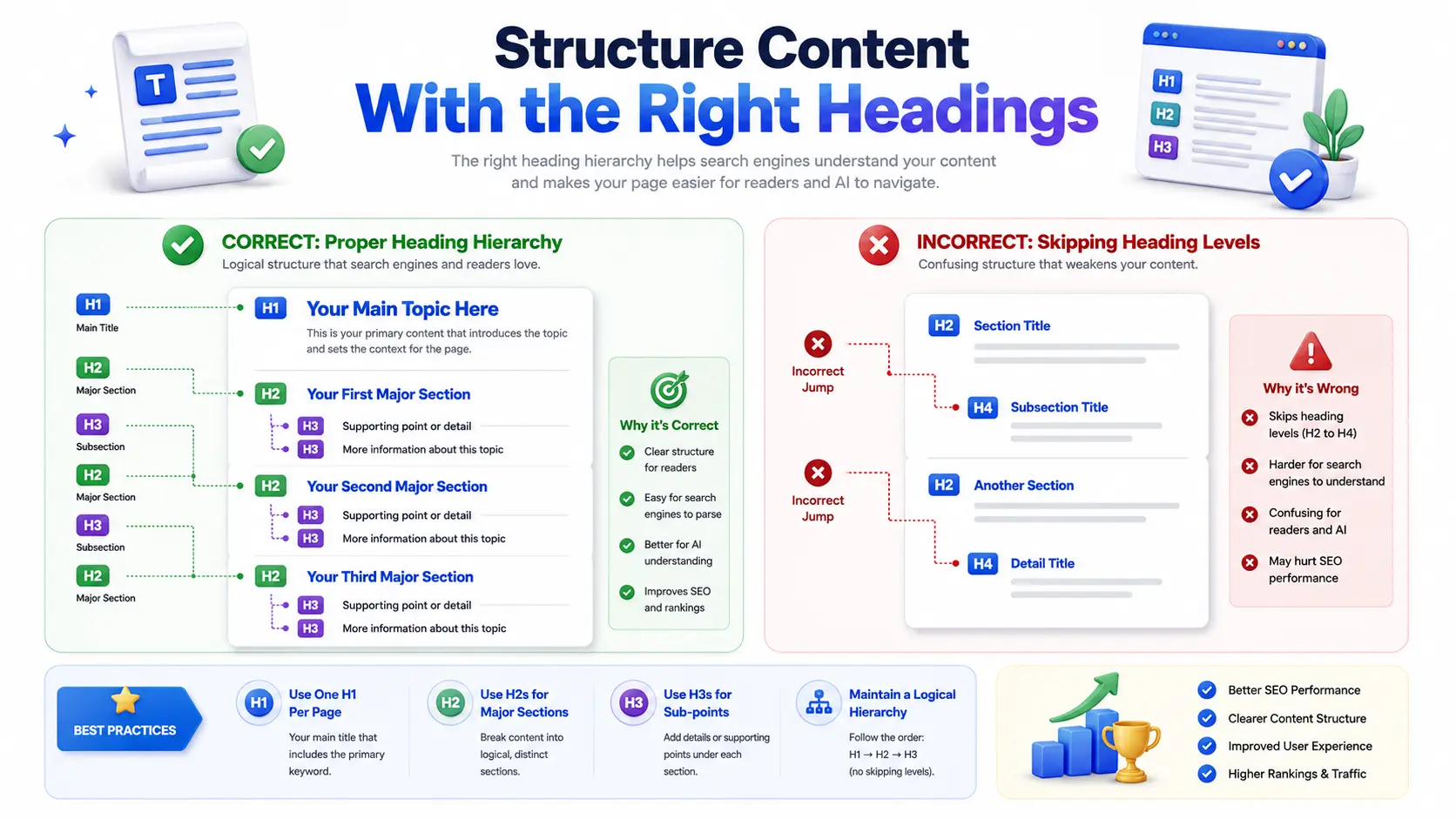
Use one H1 per page (your title), then H2s for major sections and H3s for sub-points. Search engines use this hierarchy to understand topic relationships, and increasingly, AI systems pull individual H2/H3 sections as standalone answers.
How should headers be written for AI search?
Write headers as direct questions or clear statements a person would actually search for, such as “How long should a title tag be?” rather than vague labels like “Overview.” This format matches how people phrase voice and AI search queries, making each section independently answerable.
A simple structure checklist:
- One H1 containing the primary keyword.
- 4–8 H2 sections covering distinct subtopics.
- H3s only where a section needs sub-points.
- No skipped levels (don’t jump from H2 to H4).
4. Optimize Content for Search Intent, Not Just Keywords
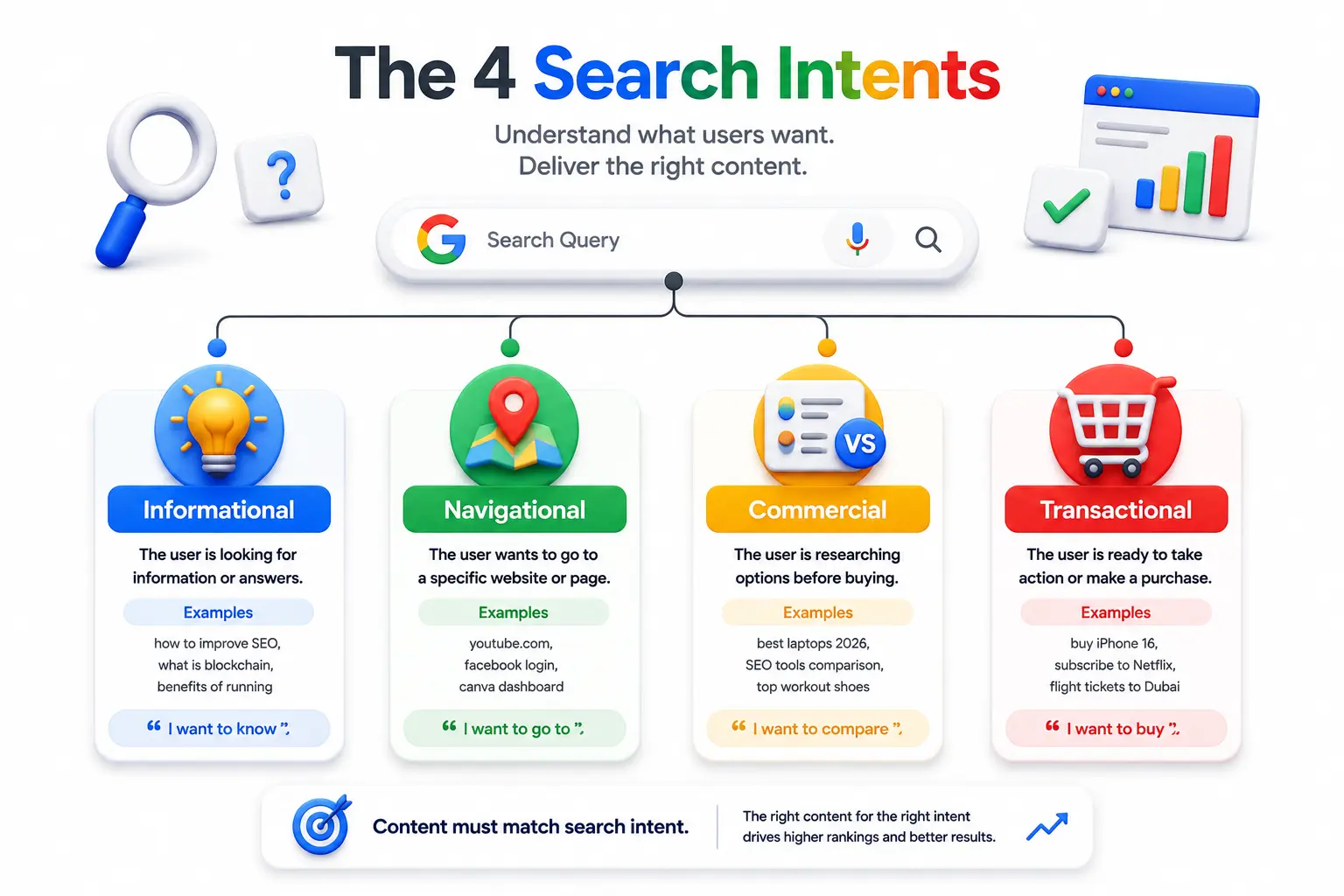
Matching search intent what the searcher actually wants to accomplish now matters more than matching exact keyword phrasing. Google’s algorithms are built to detect intent mismatch even when the keywords line up perfectly.
There are four common intent types: informational (learning something), navigational (finding a specific site), commercial (comparing options), and transactional (ready to buy or sign up). A page targeting “on-page SEO checklist” needs to be a checklist, not a sales pitch for an SEO agency.
How do you check if your content matches search intent?
Search your target keyword yourself and study what’s already ranking. If the top ten results are all listicles, a long-form narrative article probably won’t outrank them, regardless of how well-written it is. Secondary keywords worth weaving in naturally throughout this kind of page include on-page SEO factors, content optimization, and technical SEO basics, but only where they fit the sentence.
Schema Markup: Help Search Engines Understand Your Content
Optimizing your content for users and search engines doesn’t stop with keywords, headings, and internal links. Schema markup, also called structured data, adds machine-readable context that helps search engines understand what your page represents, such as an article, product, organization, event, or local business.
Schema markup isn’t a direct ranking factor, but it can help eligible pages appear with enhanced search features and give search engines clearer information about your content.
5. Use Internal Links to Build Topical Authority
Internal linking distributes ranking authority across your site and helps search engines discover and understand relationships between your pages. It’s also one of the few SEO levers you fully control, since you’re not waiting on other sites to link to you.
Link to related pages using descriptive anchor text; “read our meta description length guide” tells Google (and readers) far more than “click here.” Aim for at least 2–3 relevant internal links per page, pointing both to more detailed resources and to broader hub pages.
6. Optimize Images for Search and Speed
Unoptimized images are one of the most common and easiest to fix technical SEO problems, since large image files directly slow down page load and hurt Core Web Vitals scores.
What is alt text and why does it matter?
Alt text is a short written description of an image, read by screen readers and search engine crawlers that can’t “see” the image itself. Descriptive alt text improves accessibility and gives Google another relevant signal about the page’s topic, without stuffing keywords into visible text.
Image optimization checklist:
- Compress files (modern formats like WebP cut size significantly versus JPEG/PNG).
- Write specific alt text describing the image, including a keyword only when it fits naturally.
- Use descriptive file names before uploading (onpage-seo-checklist.webp, not IMG_4821.webp).
- Set explicit width and height attributes to prevent layout shift while images load.
7. Improve Page Speed and Core Web Vitals
Page speed is now a confirmed ranking signal on both desktop and mobile, and it directly affects whether AI systems crawl and cite your page at all.
Google measures three Core Web Vitals: Largest Contentful Paint (loading speed), Interaction to Next Paint (responsiveness), and Cumulative Layout Shift (visual stability). Per Chrome UX Report data cited by multiple 2026 industry analyses, roughly 55.9% of websites pass all three metrics, meaning nearly half don’t.
Does page speed really affect rankings?
Yes, though it’s a supporting signal rather than the deciding one. Analysis from Digital Applied found pages with a Largest Contentful Paint above 2.5 seconds saw average ranking drops of 2 to 4 positions following Google’s March 2026 core update, particularly on competitive queries.
Fast wins for page speed:
- Compress and lazy-load images below the fold.
- Minimize third-party scripts and tracking tags.
- Use a content delivery network (CDN) for global visitors.
- Enable browser caching for returning visitors.
Frequently Asked Questions
Q: What is on-page SEO?
A: On-page SEO refers to optimizing elements directly on your webpage — titles, headers, content, images, and internal links — so search engines can understand and rank it, as opposed to off-page factors like backlinks from other sites.
Q: How does a search engine actually find a new website?
A: Search engines find new websites through crawling, indexing, and ranking. See our full guide, linked earlier in this post, for a complete walkthrough of that process.
Q: How is on-page SEO different from technical SEO?
A: On-page SEO focuses on content and structure elements like titles and headers, while technical SEO covers site-wide infrastructure such as crawlability, indexing, site architecture, and Core Web Vitals. The two overlap but aren’t identical.
Q: How long should a blog post be for SEO in 2026?
A: There’s no universal ideal length; content should be as long as needed to fully answer the search intent. Ahrefs’ research consistently shows top-ranking pages vary widely in length, so depth and completeness matter more than a target word count.
Q: Do meta descriptions affect Google rankings?
A: Not directly. Meta descriptions don’t count as a ranking factor, but a compelling one improves click-through rate, which is an indirect engagement signal that can support rankings over time.
Q: Can AI Overviews cite pages that aren’t well-optimized?
A: It’s uncommon. Industry analysis from CD Studio found sites with poor performance and weak structure rarely appear in AI-generated search responses, since these systems favor clearly structured, fast-loading, directly-answered content.
Key Takeaways
On-page SEO in 2026 starts with the basics of discovery, making sure a search engine can crawl and index your site at all before layering on a title tag and header structure that’s both keyword-focused and genuinely clear, content that matches what the searcher actually wants, and technical fundamentals like speed, mobile-friendliness, and image optimization.
None of these steps require huge budgets. They require consistency: auditing your existing pages against this checklist, fixing the highest-impact issues first (usually crawlability, title tags, and page speed), and repeating the process as your site grows.


Pingback: Keyword Research Tutorial For Beginners: Step-by-Step Guide
Pingback: Core Web Vitals And Page Experience Explained: A Beginner's Guide (2026) - Dotin Digital Academy