For years, Google Search Console had one obvious blind spot. It could tell you exactly how your website performed in Google Search every click, every impression, every query but the moment your content lived on Instagram, TikTok, X, or YouTube instead of a domain you owned, that visibility disappeared completely. You could see likes, follower counts, and native view numbers from the platform itself, but you had no way of knowing whether Google Search was actually sending anyone your way.
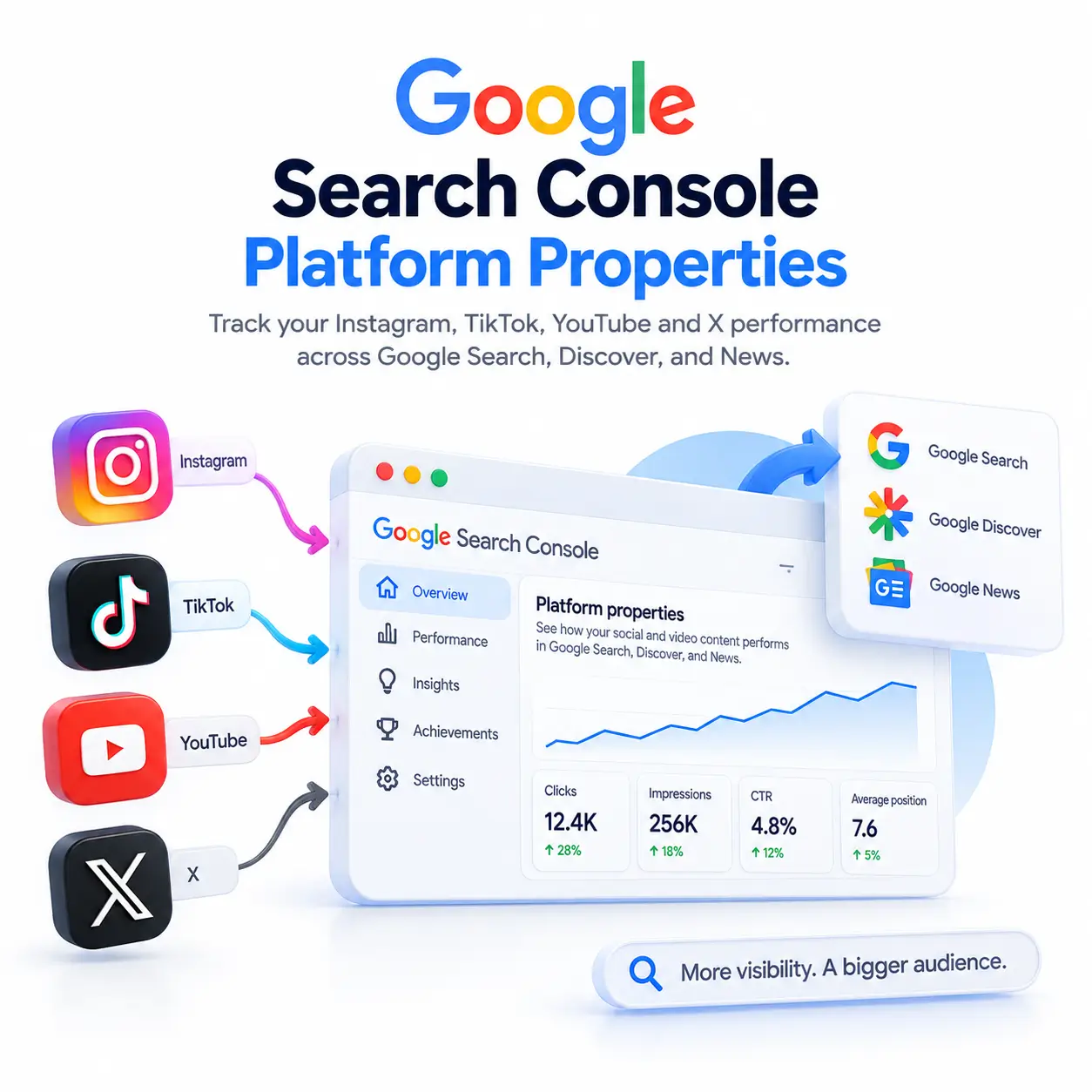
On July 7, 2026, Google closed that gap. Search Console introduced a brand-new property type called platform properties, and by July 29, 2026, it was rolled out globally. If you post content on Instagram, TikTok, X, or YouTube, you can now connect that account directly to Search Console no website, no domain verification required and see exactly how it performs in Google Search, Discover, and Google News.
This guide walks you through what platform properties are, why they matter, and exactly how to set one up, step by step.
What Are Google Search Console Platform Properties?
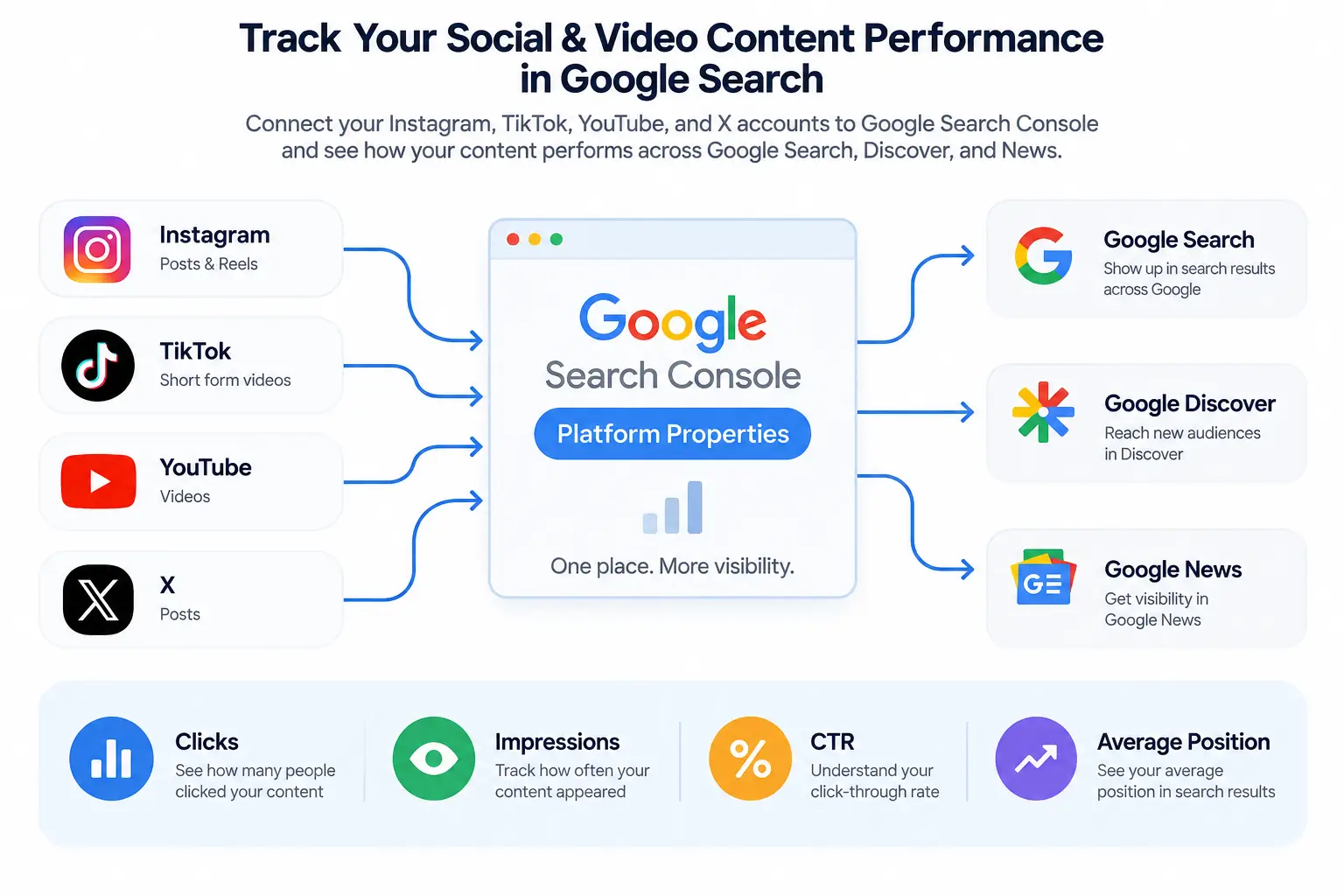
A platform property is a new type of property inside Search Console that tracks how a connected social or video account performs on Google’s search surfaces, completely separate from any website performance data you might already have.
The announcement came from Moshe Samet, Product Manager Lead for Search Console, in a Google Search Central Blog post. It sits alongside the domain and URL-prefix properties that longtime Search Console users already know, but instead of measuring a site you own, a platform property measures your presence on one of four external platforms.
This wasn’t a sudden leap, either. Back in December 2025, Google ran a limited experiment that folded some social channels into the Search Console Insights report a small trial focused only on Insights. Platform properties are the mature, fully-built-out version of that idea: complete data sets, three dedicated reports, proper verification, and availability across multiple platforms and accounts at once.
Why This Update Matters for Creators and Brands
The Old Blind Spot: Social Content Google Couldn’t Measure
Here’s the problem this actually solves. Imagine you post a TikTok video that racks up two million native views. Fantastic for engagement but did any of that traffic come from someone searching Google? Did the video ever surface in a search result or a Discover feed? Before July 2026, there was simply no way to know. Your analytics lived entirely inside TikTok’s own dashboard, and Google’s own visibility into that content was invisible to you.
That’s the attribution gap platform properties were built to close. A viral post that drives real Google Search traffic and a viral post that stays entirely within a platform’s own algorithm now look completely different in your data and for the first time, you can tell them apart.
How This Connects Social SEO and Traditional SEO
This update also reflects something bigger happening at Google: a shift toward entity-first, multi-platform discovery, sometimes referred to as “Search Everywhere Optimization.” Google increasingly treats a brand or creator’s presence across the web ]website, YouTube channel, Instagram account, and so on as one connected entity rather than isolated, unrelated pieces. Platform properties give you the data to actually manage that presence strategically instead of guessing at it.
One important caveat: connecting a platform property will not directly improve your rankings or boost your chances of appearing in an AI Overview. It’s a measurement tool, not a ranking lever. What it gives you is far better visibility into what’s already working, so you can make smarter decisions about where to invest your content effort.
Which Platforms Are Supported?
At launch, Search Console’s platform properties support exactly four platforms.
| PLATFORM | CONTENT TYPE | BENEFITS |
| Post,Reels | Brands & creators | |
| Tik Tok | Short form videos | Creators, brands |
| Youtube | Videos | Businesses & creators |
| X | Posts | News outlet & brands |
Instagram platform properties cover both standard posts and Reels. If your Instagram content (including Stories) shows up in a Google search result, it’s counted as an impression; a click on that result counts as a click in your report.
TikTok
TikTok properties track short-form video content specifically as it appears in Google Search and Discover not TikTok’s internal For You feed performance.
YouTube
YouTube properties measure how your videos appear in Google’s search results and Discover feed. If a video plays inside the Google viewer directly from a search result, that still counts as a click in Search Console, even though the viewer opened without leaving Google.
X
X (formerly Twitter) properties are aimed largely at news outlets and brands whose posts frequently surface in Google Search results and Google News.
How to Set Up a Platform Property (Step-by-Step)
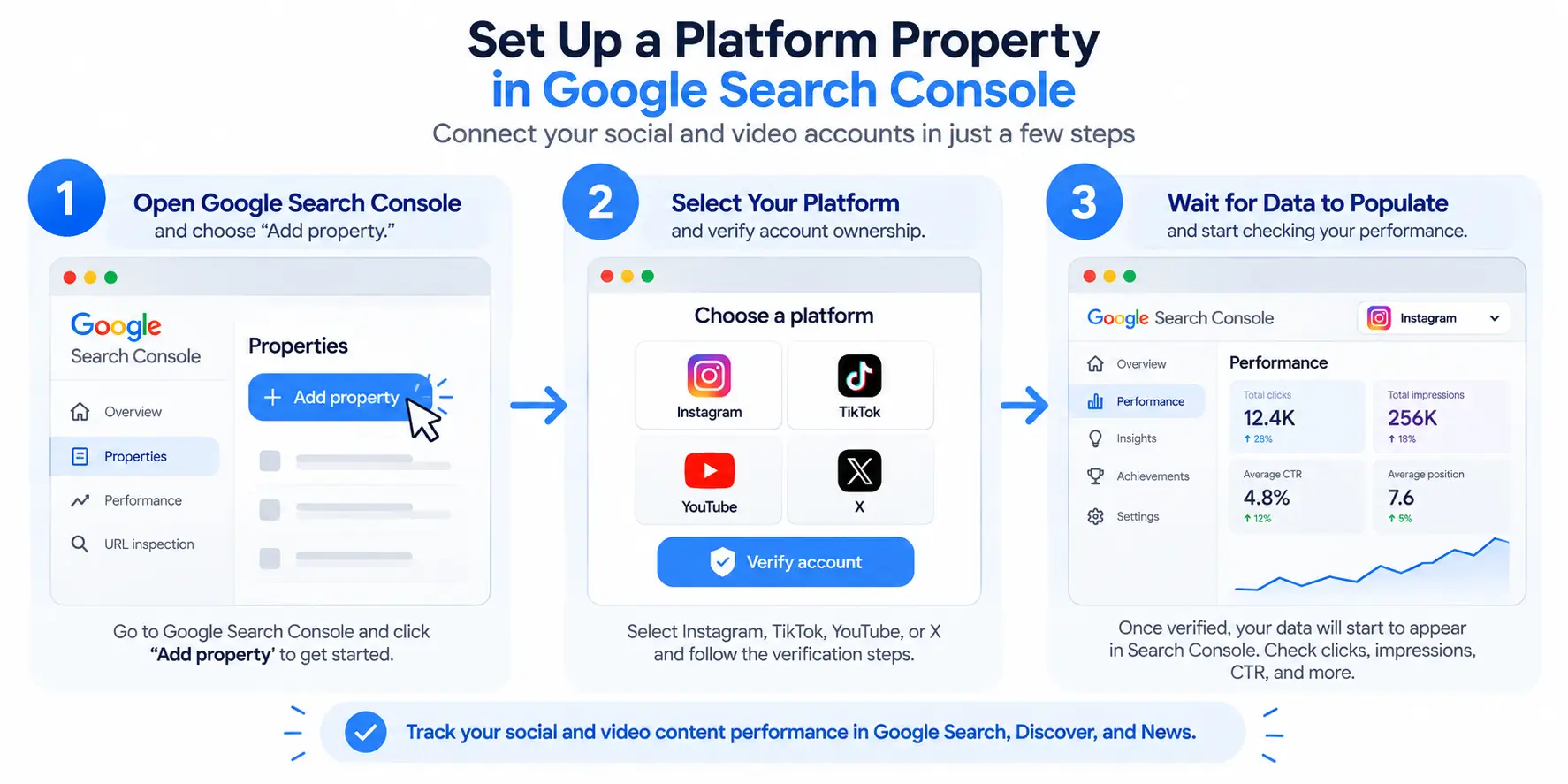
Setting up a platform property follows a process similar to verifying a website in Search Console, though the mechanics differ since there’s no domain to confirm ownership of.
Step 1 – Go to the Property Selector
Head to the Search Console welcome screen to add a new property, or open the property selector dropdown in the sidebar of your existing account and click Add property.
Step 2 – Choose Your Platform and Verify Ownership
Click Add next to the platform you want to connect Instagram, TikTok, X, or YouTube and follow the on-screen prompts to verify that you own the account. Once verification succeeds, you’ll see a confirmation message. Click Go to property to finish setup.
Step 3 – Wait for Data to Populate
It takes a few days for Search Console to start collecting and processing performance data after setup, so don’t panic if your charts look empty at first. If your property was created recently, the data you do see will only cover the days since collection began, not any historical period before that.
Repeating the Process for Multiple Accounts
If you’re active on more than one platform say, Instagram, TikTok, and X or you manage multiple profiles on the same platform, you’ll need to repeat this setup for each individual account. Every account or channel becomes its own separate property with its own independent reporting.
One more practical note: Google periodically re-checks ownership for security reasons. If a connection is lost for example, because a login session expired your platform property’s data access pauses until you re-verify. The good news is that once you re-verify, you get your existing report back immediately; you don’t have to wait for data to accumulate all over again.
The Three Reports You’ll See
Once your platform property is active, Search Console gives you three distinct reports.
Performance Report
The Performance report shows total clicks, impressions, average click-through rate (CTR), and average search position for your connected account. You can filter this data down to see exactly which individual posts are driving the most traffic across Google Search, Discover, and Google News. Note that Discover and Google News data only appear in this report if your content is actually receiving traffic from those specific surfaces if it isn’t, those sections simply won’t show up yet.
Insights Report
The Insights report gives you a higher-level overview: recent traffic trends, your top-performing content, and how people are discovering your platform content through Google Search. One quirk worth knowing: the summary card at the top of this report includes all clicks to your property across every type of Google search (web, image, video, news), but the detailed lists further down the page focus specifically on web search traffic. That’s why the numbers in those detailed lists can sometimes look lower than the total shown at the top they’re not measuring the exact same thing.
Achievements
The Achievements report tracks growth milestones and click-based accomplishments as your audience builds for example, hitting a new cumulative total of clicks from Search. It’s less about raw analytics and more about giving creators a clear sense of momentum over time.
What Platform Properties Can and Can’t Show You
This is the single most important thing to understand before you draw any conclusions from your new reports: platform properties only show how your content performs on Google Search. They do not track how your content performs on the platform itself.
In practice, that means a TikTok video that goes fully viral within TikTok’s own For You feed racking up millions of native views without ever appearing in a Google search result will show minimal or no activity inside its platform property, even while its view count climbs into the millions on TikTok’s own dashboard. The two numbers are answering completely different questions. Native platform analytics tell you how well your content performs on that platform. Search Console tells you how well it performs as a doorway into your content from Google.
Keep that distinction in mind, especially if you’re reporting this data up to a manager or client who might otherwise expect it to line up with the platform’s own analytics dashboard.
Platform Properties vs. Regular Search Console Properties
| Regular (Domain/URL) Property | Platform Property | |
| Requires owning a website | Yes | No |
| Verification method | Domain/DNS or HTML file | Social/video account login |
| What it measures | Your website’s Search performance | A connected account’s Search performance |
| Reports available | Performance, Coverage, Enhancements, etc. | Performance, Insights, Achievements |
The core difference comes down to ownership. A regular property assumes you control a domain. A platform property assumes you control an account and that’s precisely what makes it accessible to creators who’ve never owned a website at all.
How to Use This Data to Improve Your Search Visibility
Once your reports start filling in, a few practical habits will get you the most value:
- Identify your Search-driving content, not just your most-liked content. Filter the Performance report by clicks to find which specific posts or videos are actually earning Google Search traffic, then look for patterns in topic, format, or timing.
- Compare across platforms if you’ve connected more than one. You might discover your YouTube videos consistently outperform your Instagram Reels in Google Search, even if the reverse is true for native engagement a strong signal for where to focus repurposing efforts.
- Watch Discover and News appearances closely. These surfaces can send meaningful surges of traffic, and since they only populate once your content actually appears there, tracking when they show up for the first time is a useful early signal that your content strategy is working.
- Treat this as one piece of a bigger picture. Remember that platform properties measure discovery through Google specifically. Keep using each platform’s native analytics alongside Search Console rather than replacing one with the other together, they give you the full picture: reach on the platform, and reach through Google.
Frequently Asked Questions
What are Google Search Console platform properties?
Platform properties are a new Search Console property type, launched July 2026, that let creators and brands track how their Instagram, TikTok, X, and YouTube content performs specifically in Google Search, Discover, and News without needing to own a website.
Do I need a website to set up a platform property?
No. Platform properties are the first Search Console property type that doesn’t require domain or URL verification. You verify ownership of the social or video account directly instead.
How long does it take for data to appear after setup?
It typically takes a few days after verification for performance metrics to start populating. New properties will show empty or partial charts until Search Console has collected enough data.
Does Search Console show my TikTok or Instagram engagement stats?
No. Platform properties only measure how your content performs on Google Search surfaces (clicks, impressions, CTR, position). They don’t track native platform metrics like TikTok views or Instagram likes.
Which platforms are currently supported?
At launch, Search Console platform properties support four platforms: Instagram, TikTok, X, and YouTube. Each account or channel is added as its own separate property.
What’s the Achievements report used for?
The Achievements report tracks growth milestones and click-based accomplishments for your platform property, helping creators see progress over time as their content gains traction in Google Search.


Pingback: Entity SEO And Topical Authority: Beginner's Guide