If you run a WordPress website, you have probably seen alarming headlines about the PHP2Shell vulnerability this week. Here is the calm version. PHP2Shell is not a WordPress bug, not a plugin bug, and not something you did wrong. It is a pair of critical flaws in PHP itself, the programming language that powers WordPress behind the scenes. Because the flaw sits below WordPress, clicking “Update” in your dashboard will not fix it.
This guide explains what happened in plain English, how to tell whether your site is exposed, and the exact steps to take today, even if you have never touched a server.
Quick answer: 3 steps to take today
- Find your PHP version (WordPress: Tools → Site Health → Info → Server).
- Ask your host to confirm in writing that the PHP2Shell patches are installed and PHP was restarted.
- After patching, check your site for signs of an earlier break-in.
What Is the PHP2Shell Vulnerability?
PHP2Shell is the nickname for two serious security flaws tracked as CVE-2026-109618 and CVE-2026-109619. A CVE (Common Vulnerabilities and Exposures) entry is simply a public ID number for a known flaw, so everyone can discuss the same problem. Both flaws score 9.2 out of 10 on the CVSS v4.0 severity scale, which is “critical.” You can read the official details in the PHP security advisory.
PHP2Shell in simple terms
Think of your website as a restaurant. WordPress is the recipe book, and plugins are extra recipes. PHP is the kitchen where every dish is actually cooked. PHP2Shell is a flaw in the kitchen itself. It does not matter how good your recipes are if the kitchen has a broken lock on the back door.
What attackers can achieve is called remote code execution (RCE): running their own commands on your server from far away, without logging in. Researchers also showed the flaws can leak server memory, which may hold passwords, API keys and other secrets.
The two CVEs in one line each
- CVE-2026-109618: when PHP runs out of memory mid-request, it can be left half-prepared in a way attackers can abuse.
- CVE-2026-109619: PHP can keep pointing at memory from an earlier request after that memory has been freed.
Technical write-ups are available in the GitHub advisories, such as GHSA-w8hw-w9fx-j79w, but you do not need them to protect your site.
Who found it, and why AI matters
The flaws were found by researchers at Wiz, Calif and OpenAI, working with the PHP security team. In its PHP2Shell research post, Wiz explains that AI models helped adapt the attack to different PHP versions and setups. That is why many experts call this a turning point: bugs that once looked too hard to exploit are becoming practical targets.
Is Your WordPress Website at Risk?
If your site runs on PHP and serves web pages, assume yes until you have confirmed otherwise. PHP’s team says every setup that handles web requests is affected, including PHP-FPM, Apache with mod_php, php-cgi, FrankenPHP and LiteSpeed. Wiz says nearly every PHP release is affected, going back to PHP 5.4. PHP powers roughly 70% of websites, although that does not mean 70% of sites are vulnerable.
Why WordPress, Drupal and Joomla all appear in the news
Wiz demonstrated attacks without a login on all three platforms. They were examples, not the cause. The flaw is in PHP, so even a very simple app can be affected.
Is PHP2Shell being exploited right now?
Early reports say attacks began soon after disclosure, so treat unpatched sites as exposed today. BleepingComputer reports that PHP developers warn no mitigation fully blocks these attacks and that the official patch is the only permanent defence. Some providers, including Cloudflare, added protective firewall rules before disclosure. These help, but they are a stopgap.
What attackers could do to a compromised site
- Run commands and install hidden backdoors
- Read secrets from server memory, such as API keys and tokens
- Redirect visitors, publish spam pages or steal customer data
Why Updating WordPress Doesn’t Fix PHP2Shell
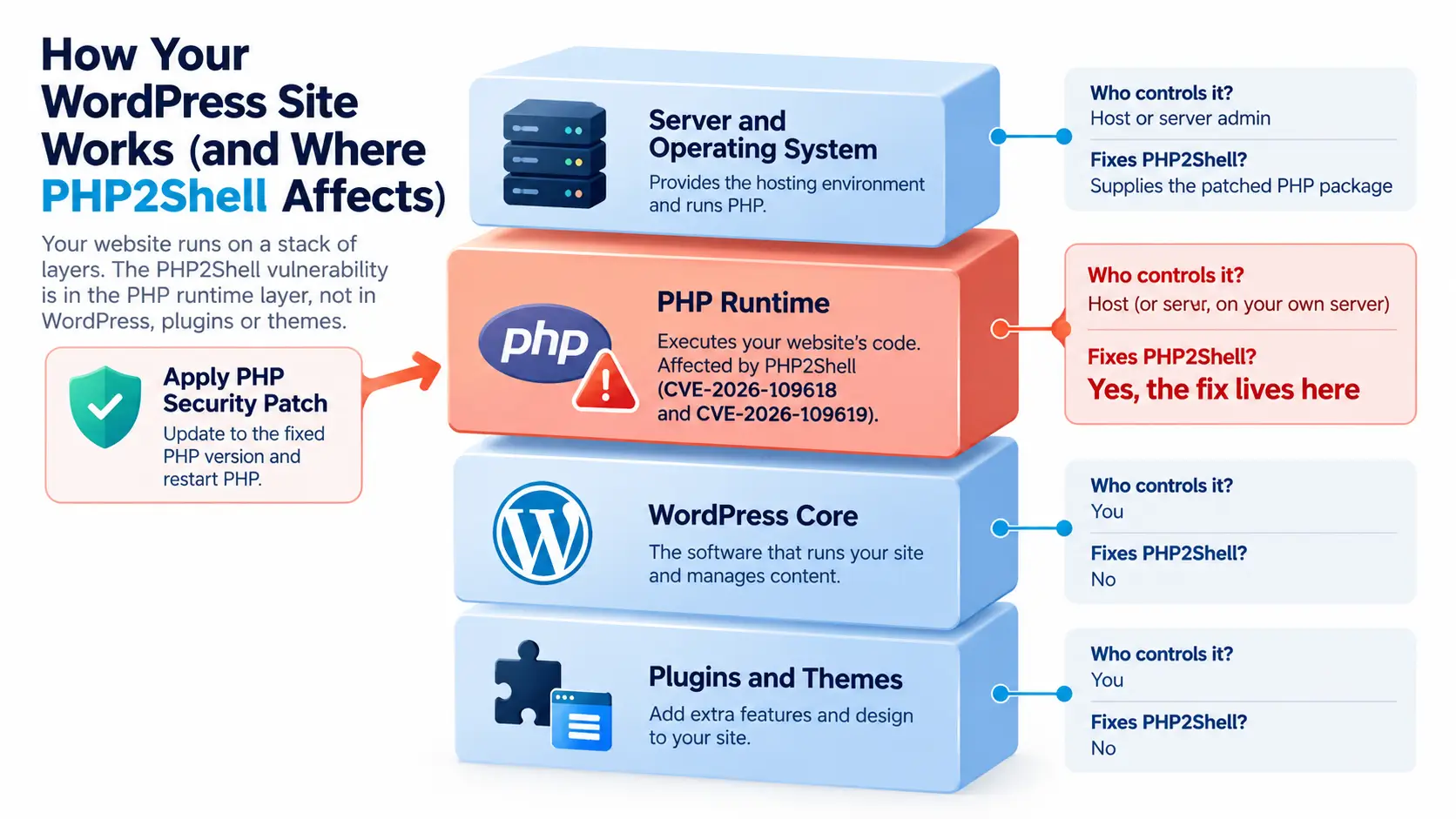
This is the biggest misunderstanding. Automattic, the company behind WordPress.com, has stressed that updating WordPress, a theme or plugins alone does not fix the underlying PHP flaw. Your site sits on a stack of layers, and the fix belongs near the bottom:
| Layer | Who controls it | Fixes PHP2Shell? |
|---|---|---|
| Server and operating system | Host or server admin | Supplies the patched PHP package |
| PHP | Host (or you, on your own server) | Yes, the fix lives here |
| WordPress core | You | No |
| Plugins and themes | You | No |
For the same reason, a firewall or security plugin cannot fully protect you. It runs inside WordPress, and PHP’s own security team says the attack can trigger before any application code runs. A network-level firewall can reduce risk temporarily, but it does not replace the patch.
How to Protect Your WordPress Site: Step by Step
Step 1: Check your current PHP version
In your WordPress dashboard, go to Tools → Site Health → Info → Server and read the PHP version. Your hosting control panel also shows it.
Step 2: Know which versions are safe
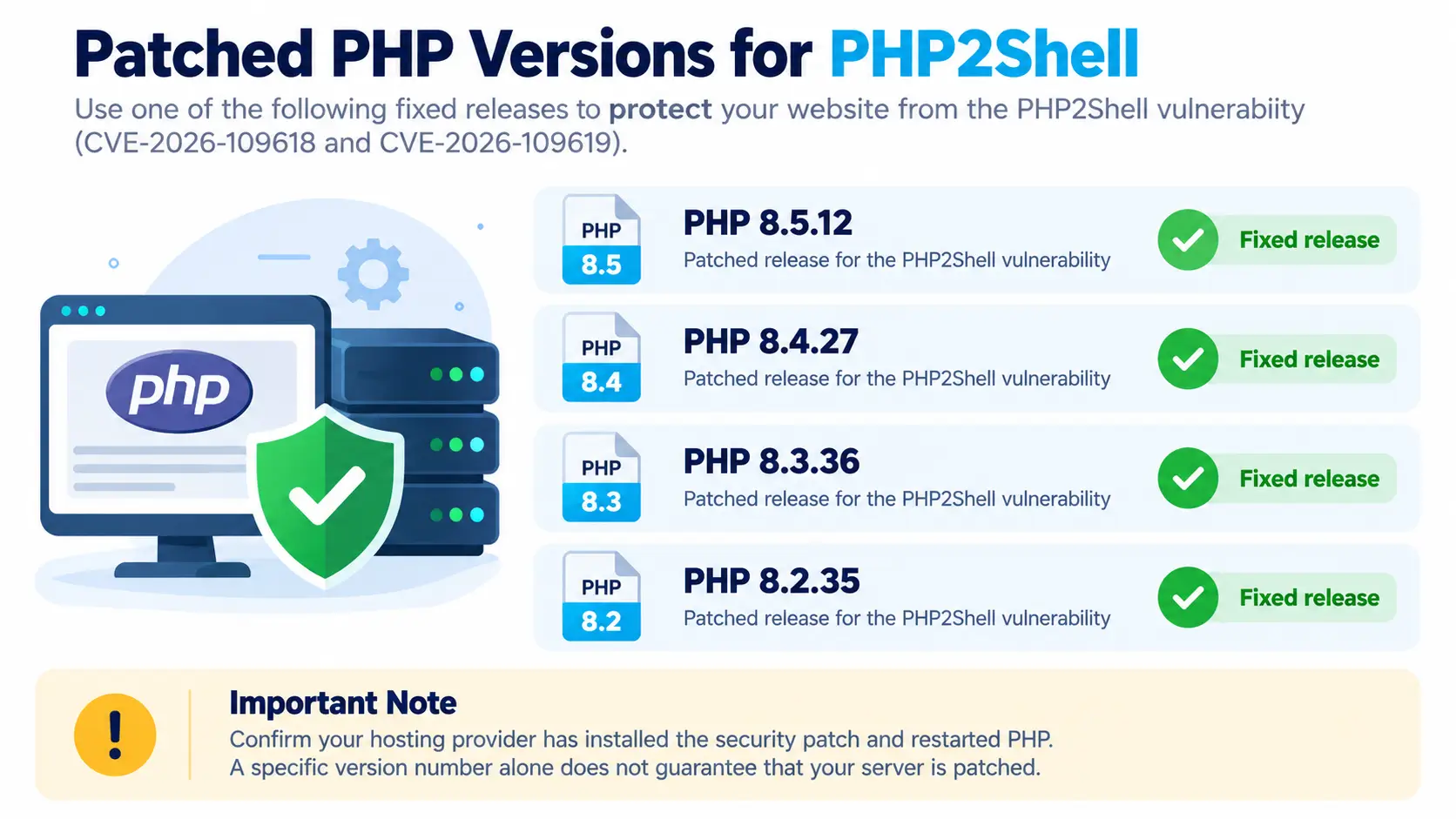
The official fixed releases are PHP 8.5.12, 8.4.27, 8.3.36 and 8.2.35. If your version is older than the one in your branch, you are on a vulnerable build. Note that PHP 8.2 stops receiving security fixes after December 31, 2026, so 8.3 or newer is the wiser target. For supported versions, check the WordPress.org requirements page.
The version-number trap: some Linux distributions backport security fixes without changing the version number. That means an “old” number does not always mean unpatched, and a number alone cannot prove you are safe. This is why Step 3 matters.
Step 3: Ask your host to patch (copy-paste message)
Hello, I run a WordPress site on my hosting account. Please confirm: (1) which PHP build my site uses, (2) whether the fixes for CVE-2026-109618 and CVE-2026-109619 (PHP2Shell) are applied, and (3) whether PHP workers were restarted afterwards. Please reply in writing.
Step 4: Upgrade PHP yourself if your host allows it
Many hosts let you choose a PHP version in the control panel. Take a full backup first, test on a staging copy if you have one, then switch to a patched, supported version and check that your site loads and forms still work.
Step 5: Use temporary protections only as a stopgap
If you cannot patch yet, ask your host about firewall rules or request limits. PHP’s maintainers say no setting covers every attack route, so never treat these as the finish line.
Step 6: Update WordPress, plugins and themes anyway
This is good hygiene and shrinks your overall attack surface. Just remember it is not the PHP2Shell fix.
Who Fixes What? A Quick Guide by Hosting Type
| Hosting type | Who patches PHP | What you should do |
|---|---|---|
| Shared hosting | Your host | Send the message above and pick a patched PHP version if offered |
| Managed WordPress hosting | Your host | Ask for written confirmation of the patch |
| VPS or cloud server | You or your sysadmin | Install the patched PHP package and restart PHP |
| Docker or containers | You or your developer | Rebuild the image with patched PHP and redeploy |
What If Your Site Runs PHP 8.1 or Older?
This is the highest-risk group. The official fixes cover only the 8.2 to 8.5 branches, so PHP 8.1 and older have no official patch. Your realistic options are to upgrade to a supported PHP version, move to a host that already runs one, or use a vendor or Linux distribution that provides a backported fix. Before upgrading, make sure your theme and plugins support the newer version, and test on staging first.
How to Check Whether Your Site Was Already Compromised
Patching closes the door, but it does not remove an attacker who already got in. After patching, look for these warning signs:
- Admin users you do not recognise
- Unfamiliar files or recently changed files you did not edit
- Visitors being redirected to strange websites
- Sudden slowdowns or spam pages you never published
Run a malware scan and ask your host to review server logs. Our guide to setting up Google Search Console shows you how to watch for security warnings and unexpected indexed pages. A hack also shows up in your numbers, so a sudden traffic spike or drop in Google Analytics 4 is worth investigating. For a broader health check, follow our technical SEO audit guide.
If you find something: take the site offline or into maintenance mode, restore a clean backup, then change every password and key, including database credentials and API keys. Because memory leaks may have exposed secrets, rotate them even if you see no damage.
Frequently Asked Questions
Does updating WordPress fix PHP2Shell?
No. The flaws are in PHP, so the fix must be installed at the server level by your host or administrator.
Which PHP versions fix PHP2Shell?
PHP 8.5.12, 8.4.27, 8.3.36 and 8.2.35. PHP 8.1 and older receive no official patch.
Can a security plugin stop PHP2Shell?
Not fully. Plugins run above the vulnerable layer, so use them as extra protection, not as the fix.
How do I check my PHP version in WordPress?
Go to Tools → Site Health → Info → Server, or look in your hosting control panel, then ask your host about backported patches.
Conclusion: Your 3-Step Action Plan
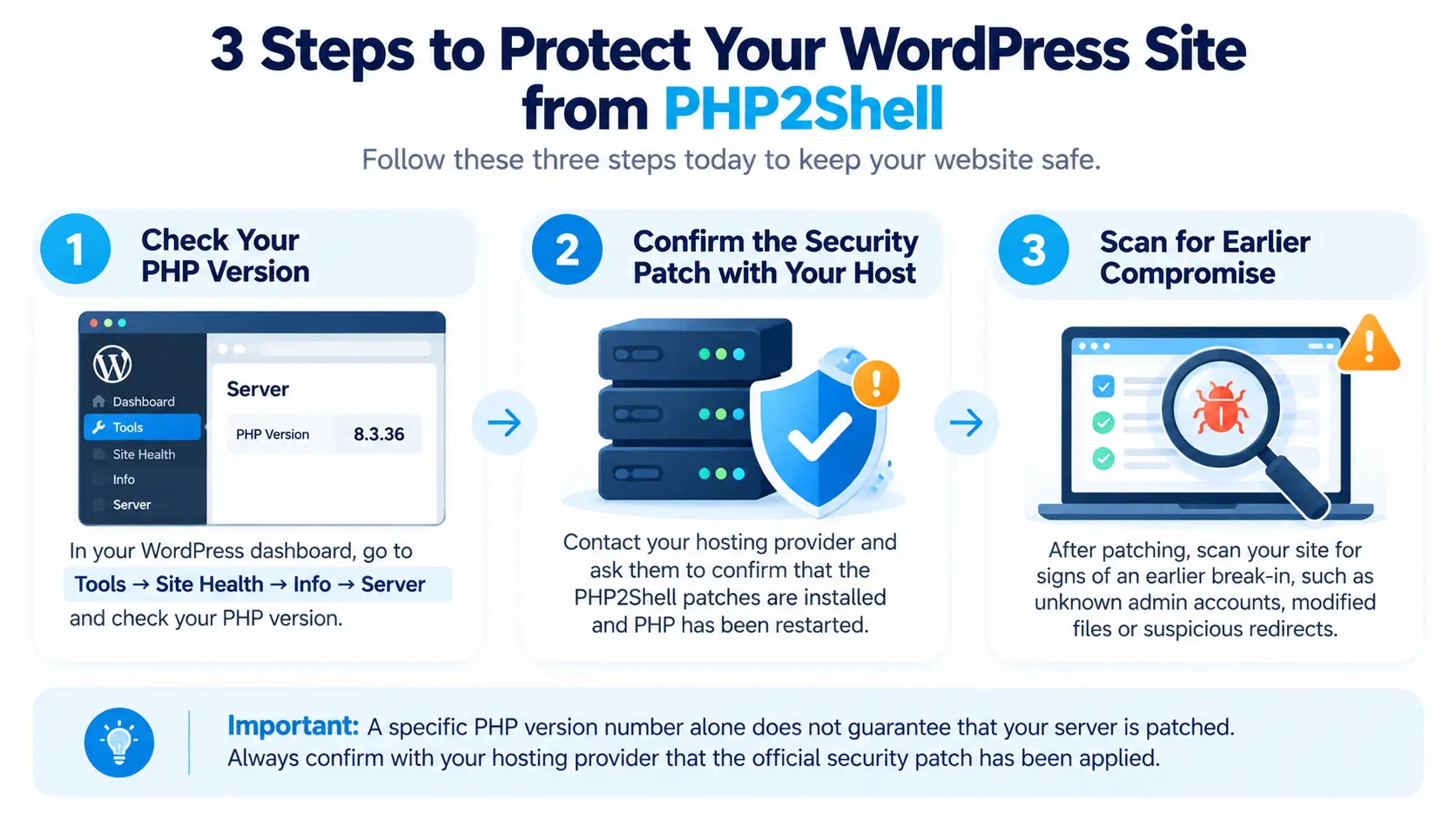
PHP2Shell is serious, but your response is simple. Check your PHP version, get your host to confirm the patch in writing, and scan for signs of an earlier compromise. Keep PHP on a supported version, keep regular backups, and revisit this guide, as details and host rollouts are still changing.
Website security, technical SEO and analytics are core skills for every modern marketer. If you want to learn them hands-on, explore our digital marketing courses, including the Advanced Diploma in Digital Marketing and the Certified Digital Marketing Associate program, or browse more guides on our blog.