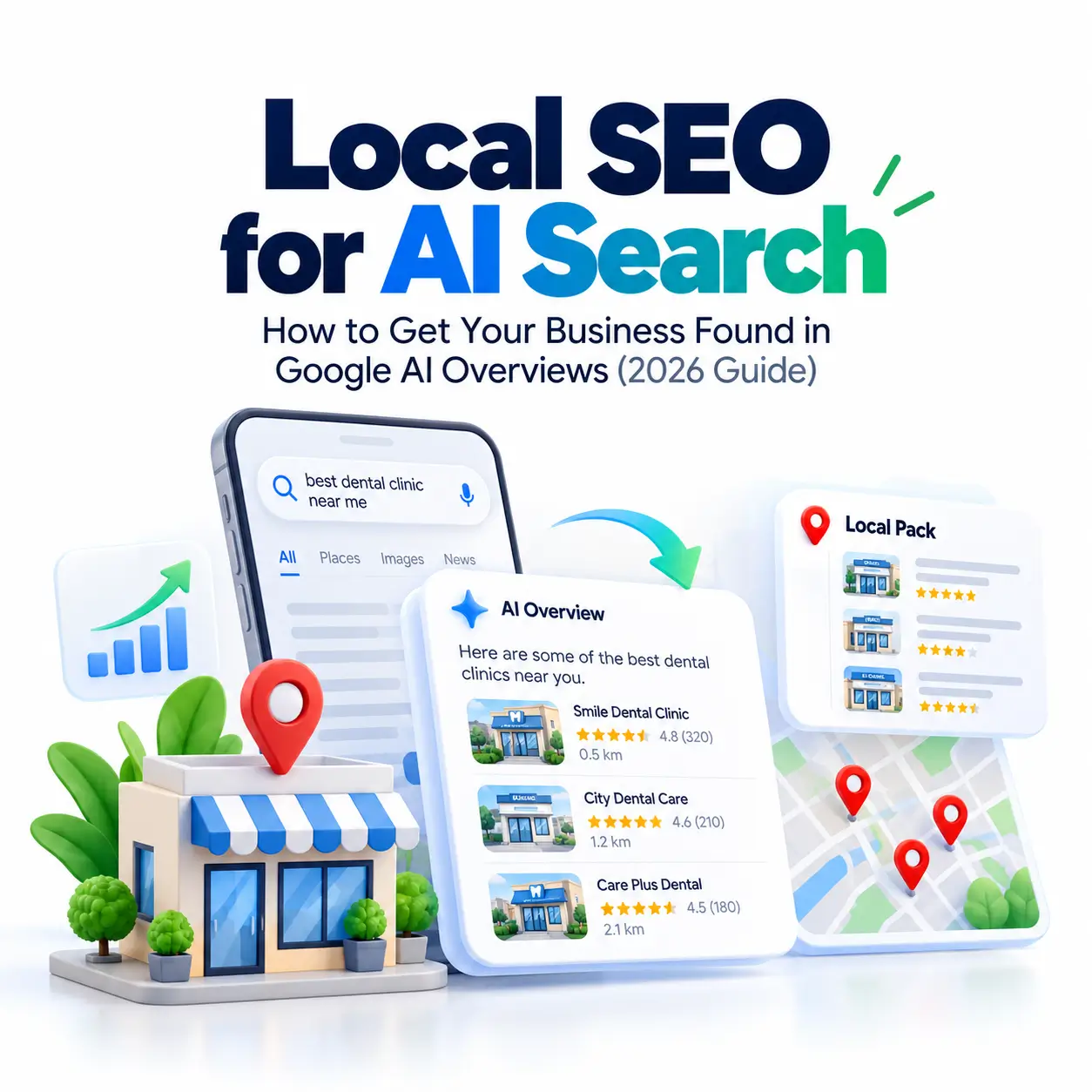
A customer in Kochi types “best dental clinic near me, open Sunday” into Google. There is no long list of links. Instead, a short AI-written answer appears and names three clinics. If yours is not one of them, that customer never even considers you. This is the change behind local SEO for AI search, and it matters to every shop, clinic, salon, and service business that depends on nearby customers.
The short answer: to appear in Google’s AI answers, keep your Google Business Profile accurate and complete, collect genuine reviews steadily, publish website pages that answer local questions, and make sure your business details match everywhere online. These are the same basics as traditional local SEO, applied with more discipline.
This guide explains how it works in plain English, gives you a free ten-minute test to see where you stand, and walks you through seven practical steps. You don’t need technical skills or paid tools.
How Google’s AI Search Finds Local Businesses
Google now has several ways to answer a local question, and each behaves differently. Knowing which is which helps you decide where to spend your effort.
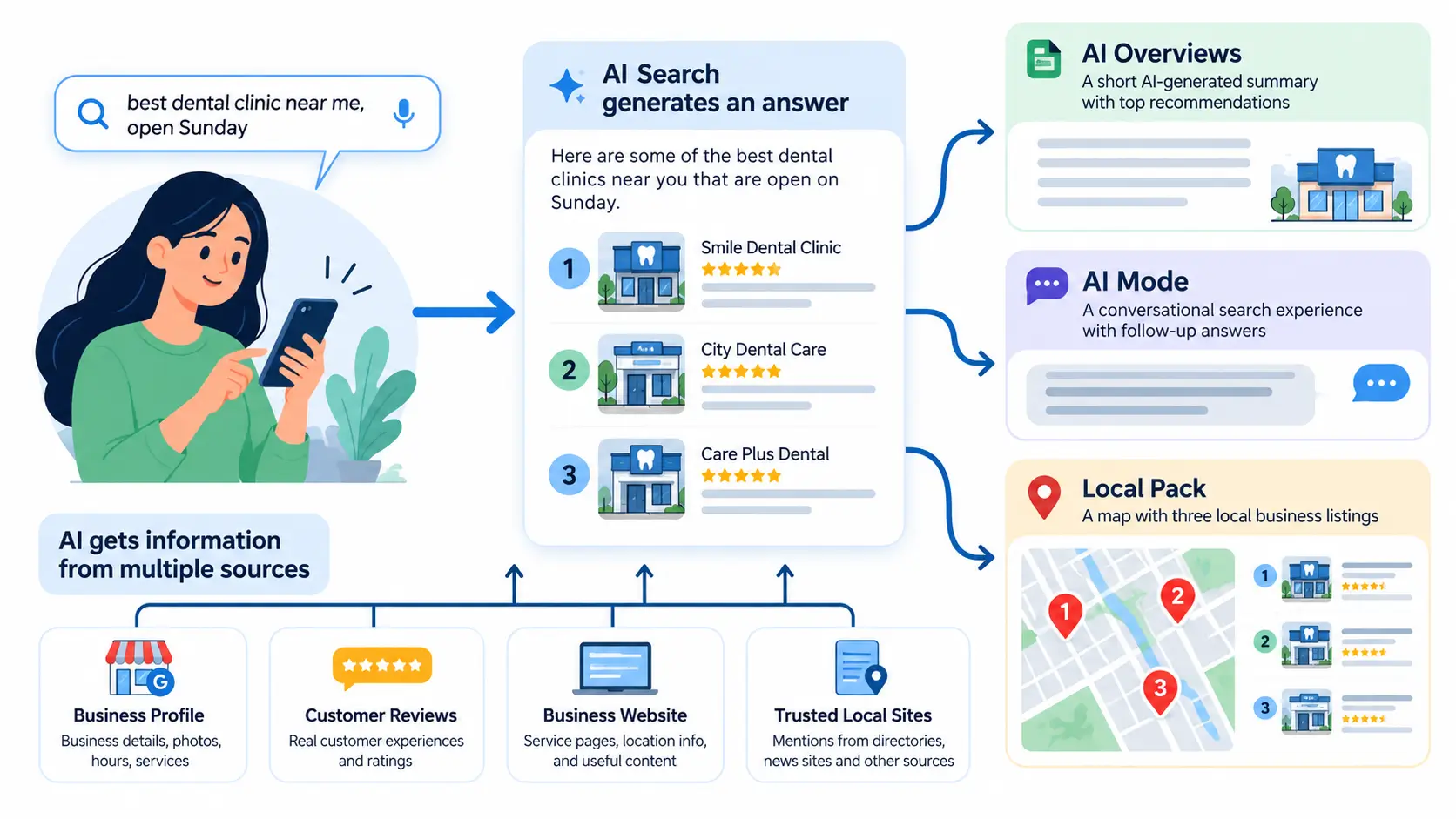
AI Overviews, AI Mode, and the Local Pack
AI Overviews are short summaries placed above the normal search results. AI Mode is a conversational search experience where people ask follow-up questions and receive a researched answer. The local pack is the map with three business listings you see for “near me” searches. All three can appear for the same query. According to Google’s own guidance for site owners, AI Overviews and AI Mode may use different models and techniques, so the links and businesses they show can differ.
Where AI Gets Its Local Information
There is no single source. Google says its AI features can run several related searches across subtopics and data sources before writing an answer, a technique it calls “query fan-out.” For a local question, that typically means your Business Profile, your reviews, your website, and what other trusted sites say about you. When these tell one consistent story, Google can recommend you with confidence. When they contradict each other, you look like a risky pick.
Is Local SEO Different From Optimizing for AI Search?
Mostly, no. Whitespark’s 2026 Local Search Ranking Factors report, a widely followed annual survey of local SEO experts, added AI search visibility as a category for the first time and introduced 47 new factors. Its introduction also notes that local search has stayed somewhat insulated from AI disruption. Google adds that no special optimization is required for AI features and that existing SEO fundamentals still apply. The practical takeaway is to treat local SEO and AI visibility as one strategy, with extra attention to your website content and mentions on other trusted sites. If you serve customers in Kerala, our guide to AEO for local businesses in Kerala shows how this plays out in real searches.
Before You Start: Check How Your Business Appears Today
First, confirm the basics. Your website should load quickly on a phone, your pages should be indexed by Google, and you should not have duplicate listings for the same location. Google states that a page must be indexed and eligible to show with a snippet to appear as a supporting link in AI Overviews or AI Mode, so fix any gaps here before anything else.
The 5-Prompt Visibility Test
Now run a free audit. Search the five prompts below in regular Google and in AI Mode, replacing the brackets with your own details:
- “best [service] near me”
- “[service] open now in [your town]”
- “most trusted [service] in [your town]”
- “[service] for [specific need] in [your town]”
- “is [your business name] any good?”
For each prompt, record three things: Were you mentioned? Was the information correct, including hours, phone, and address? Which sources did the answer rely on? A simple scorecard works well:
| Prompt | Mentioned? (Y/N) | Info correct? (Y/N) | Sources cited |
|---|---|---|---|
| 1. Best [service] near me | |||
| 2. [Service] open now | |||
| 3. Most trusted [service] | |||
| 4. [Service] for [need] | |||
| 5. Is [business] any good? |
Save this scorecard, because you will repeat the test every month. AI answers vary by person and location, so there is no single “rank.” Run the test from the area your customers search in, and look for patterns rather than one-off results.
7 Steps to Improve Your Local Visibility in Google’s AI Search
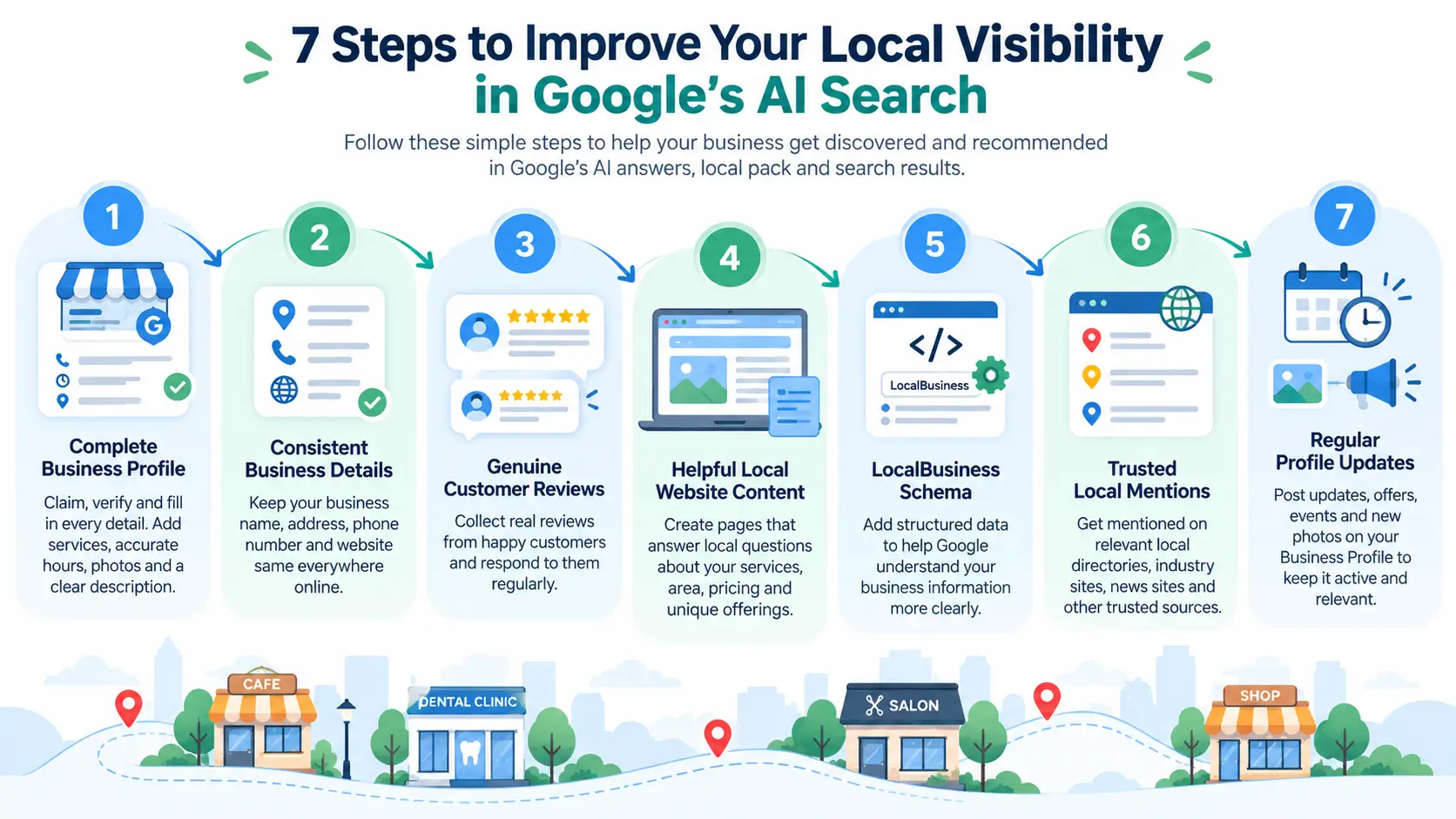
Step 1: Claim and Complete Your Google Business Profile
What to do: claim and verify your profile, then fill in every field. Google’s own tips for improving local ranking point to verification, up-to-date information, reviews, and photos, and state that local results rely mainly on relevance, distance, and prominence. Choose the most accurate primary category, add secondary categories, list your services, write a clear description of what you do and where, and upload real photos of your premises and work. Starting from scratch? Follow our Google Business Profile setup guide for India. Also note that Google says there is no way to pay for a better local ranking, so effort here is your lever.
Step 2: Make Your Business Details Consistent Everywhere
What to do: audit your name, address, and phone number (together called NAP) across your website, social profiles, and directories such as Justdial, Sulekha, or IndiaMART. Use the same spelling, format, and phone number everywhere. AI systems compare sources, and mismatches reduce trust. Keep opening hours identical too, and update them before festivals like Onam so customers never see wrong information.
Step 3: Earn and Answer Reviews
What to do: ask happy customers for an honest review after each job, and reply to every review you receive. Google confirms that review count and score factor into local ranking, and AI-generated local answers often reflect what reviewers say. Send your review link over WhatsApp right after service, when the experience is fresh. In replies, mention the service naturally, such as “Thanks for choosing us for your AC repair.” Never buy reviews or offer rewards. Google’s Maps content policy on fake engagement bans paid and incentivized reviews, and asking staff to hit review quotas is restricted too.
Step 4: Make Your Website Answer Local Questions
What to do: create a clear page for each core service and, if you have several branches, one for each location. Add a short FAQ in plain language answering what customers actually ask, such as “Is parking available?” or “Do you offer home service near Technopark?” Show your address, hours, and an embedded map. When your site answers a question directly, AI tools have a quotable source that points back to you.
Step 5: Add LocalBusiness Schema Markup
What to do: add LocalBusiness schema, which is code that labels your name, address, hours, and services for search engines. Google documents how in its LocalBusiness structured data guide. To be accurate, Google says no special schema is needed for AI features, but clean markup removes guesswork about your details. A reputable SEO plugin can generate it, and Google’s Rich Results Test can check it. Make sure the markup matches what visitors see on the page.
Step 6: Build Trusted Local Mentions and Directory Listings
What to do: get listed on relevant directories, your local trade association or chamber of commerce, partner websites, and local news pages, and keep your social profiles active. AI answers draw on what other sites say about you, so mentions on trusted websites reinforce your credibility. Choose quality over quantity. This idea overlaps with how search engines recognize your brand as a distinct entity, which we explain in our entity SEO and topical authority guide.
Step 7: Keep Your Profile Fresh
What to do: treat your profile like a shop window and update it regularly. Add new photos each month, post offers or news, adjust seasonal hours, and add new services as you launch them. Active profiles signal a business that is open and cared for, which helps both customers and Google trust you.
How to Measure Whether It’s Working
Your Business Profile dashboard shows free performance data such as calls, direction requests, and website clicks. For your website, Google notes that traffic from AI features is included in the overall Search Console Performance report, so you can track it there without extra tools. Then re-run your 5-prompt test monthly and compare the scorecards.
How long will it take? Quick fixes, like correcting wrong hours, can show within days or weeks. Building reviews, website content, and mentions usually takes longer, commonly three to six months. Treat that as an industry rule of thumb rather than a Google promise.
Common Beginner Mistakes to Avoid
- Buying or faking reviews. It violates Google’s policy and risks removal of the reviews.
- Stuffing keywords into your business name. Use your real-world name only.
- Inconsistent hours or phone numbers. Mismatches erode trust across sources.
- Leaving duplicate listings. They split your reviews and confuse Google.
- Ignoring your website. Your profile alone is not enough for AI answers.
- Expecting a fixed ranking. AI answers change by user and location, so track trends.
Frequently Asked Questions
Does my Google Business Profile affect AI results?
Yes. Your categories, hours, services, photos, and reviews are core business data Google relies on for local answers. A complete profile does not guarantee a mention, but an incomplete one makes you harder to recommend.
Do online reviews help me show up in AI search?
They help. Reviews build trust, and ratings and review themes often shape local recommendations. Quantity, recency, and detail all matter, so ask honestly and reply to every review.
Can I pay to appear in Google’s AI-generated local results?
Google has been adding ads around AI answers through Google Ads, but organic local recommendations cannot be bought. Google states there is no way to pay for a better local ranking.
How long does it take to improve local AI visibility?
Simple corrections can work within days or weeks, while reviews, content, and mentions typically take three to six months to make a noticeable difference.
Your Next Steps
Start small this week: run the 5-prompt test, fix any wrong details on your Google Business Profile and listings, and ask five recent customers for honest reviews. Repeat the test next month and compare.
Want to learn this properly or run it for clients? Explore our Certified Digital Marketing Associate course for structured, hands-on training, and browse more guides on our blog.