
If you’ve ever stared at your analytics dashboard wondering why a page has a 60% bounce rate, you’re not alone. Google Analytics can tell you visitors are leaving it can’t tell you they’re clicking a headline that isn’t a button, or bailing before they scroll past your hero image. That’s the gap that Conversion Rate Optimization & heatmap tools exist to fill.
The good news for beginners: you don’t need a budget to get started. Several genuinely capable free tools in 2026 let you see exactly how visitors behave on your site before you ever pay for anything. This guide covers the best free options, what each one is actually good for, and where their limits kick in.
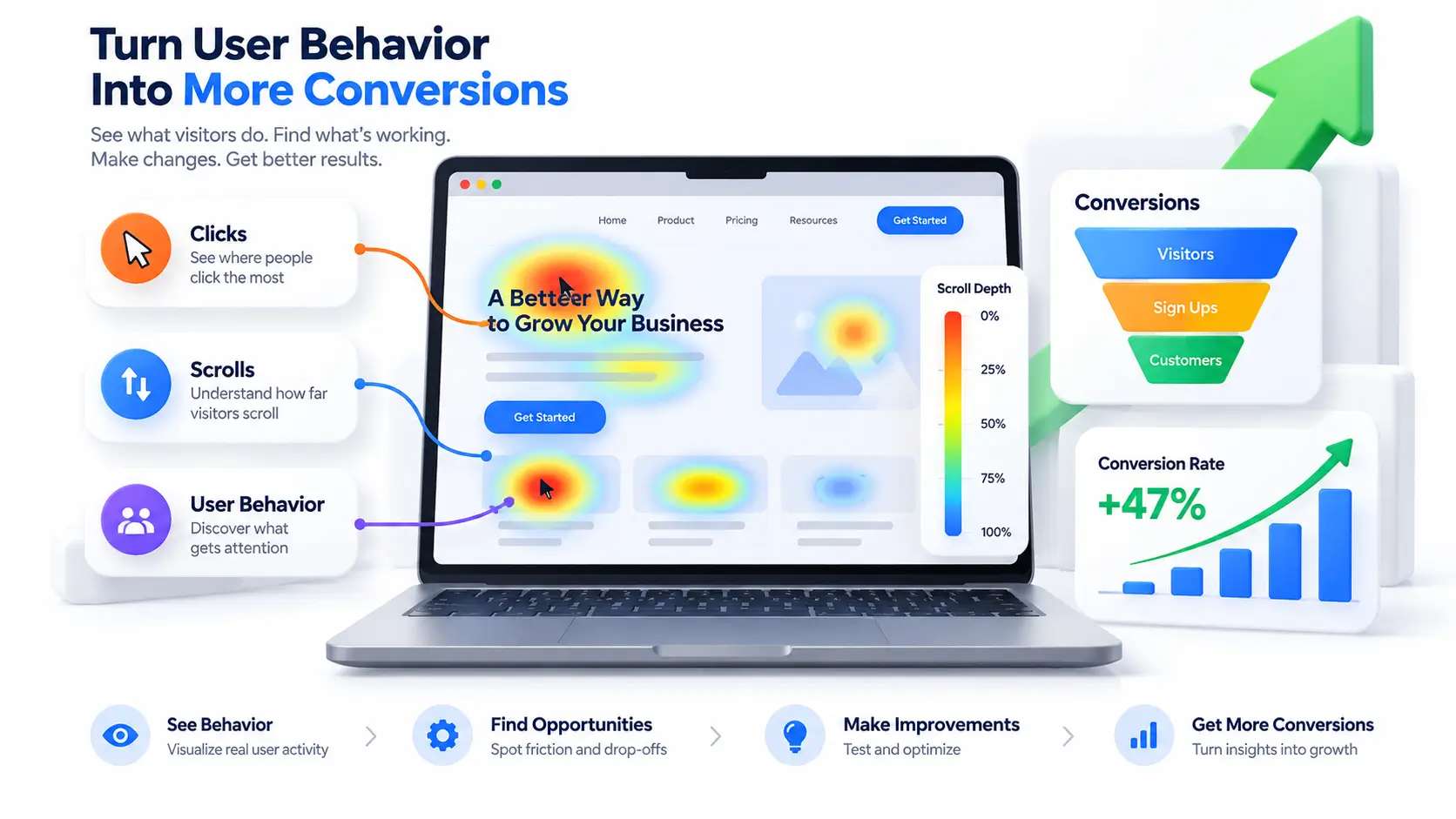
What Are CRO & Heatmap Tools and Why They Matter
A heatmap tool visualizes how people interact with your page using color showing where they click, how far they scroll, and where their mouse lingers. It turns invisible behavior into a picture you can act on.
A CRO tool goes a step further. Once a heatmap shows you what’s happening, a CRO platform helps you test fixes through A/B tests, surveys, or funnel analysis to confirm a change actually improves conversions.
Heatmaps vs. Session Recordings vs. A/B Testing
These three get lumped together, but they answer different questions. Heatmaps show aggregate behavior across many visitors on one page. Session recordings show one visitor’s actual journey, click by click. A/B testing shows whether a specific change moves the needle. Most beginners start with heatmaps and recordings to diagnose a problem, then use A/B testing later to confirm the fix.
How We Evaluated These Free CRO & Heatmap Tools
We focused on what actually matters for a free plan: how generous the session or recording limit really is, whether “free” comes with hidden traps (paywalled core features), ease of setup for non-technical users, and data privacy posture.
The Best Free CRO & Heatmap Tools in 2026
| Tool | Best For | Free Plan Limit |
| Microsoft Clarity | Zero-budget teams, unlimited use | Unlimited sessions, forever free |
| Hotjar | Beginners wanting heatmaps + surveys | 35 sessions/day |
| Mouseflow | Friction and rage-click analysis | 500 sessions/month |
| Lucky Orange | Small ecommerce sites | Free tier + live chat bundled |
| PostHog | Teams wanting heatmaps + product analytics | Free, then usage-based |
Top Free CRO & Heatmap Tools Reviewed
Microsoft Clarity – Best Free Option, No Caveats
Clarity is free forever with no session caps, which is genuinely rare in this category. It includes click maps, scroll maps, unlimited session recordings, and automatic dead-click and rage-click detection, plus built-in PII masking for privacy compliance. It now ships with AI-powered insights, including one-click session summaries. It integrates cleanly with Google Analytics 4 and absorbs traffic spikes without throttling, since it runs on Microsoft’s infrastructure. The trade-off: there’s no native A/B testing, and segmentation feels less intuitive than paid competitors like Hotjar. If you’re starting from zero, this is the tool to install today.
Hotjar- Best Free Plan for Heatmaps + Surveys
Hotjar’s free plan captures up to 35 sessions a day, which is enough to audit a single landing page or checkout step without paying anything. Drop in one snippet and within minutes you have click, scroll, and move heatmaps, session recordings, and on-page surveys running. Its segmentation filtering by traffic source, device, or custom event is strong even on the free tier. The catch: the free session cap fills quickly on a busy site, and native A/B testing is too limited to run a real experimentation program, so larger sites eventually outgrow it.
Mouseflow – Best Free Plan for Friction Analysis
Mouseflow’s free plan includes 500 recorded sessions per month, and its standout feature works on the free tier too: an automatic Friction Score that flags sessions where users struggled rage clicks, erratic mouse movement, repeated form errors so you’re not scrubbing through hours of uneventful recordings. Its form analytics are some of the best in the category, pinpointing exactly which checkout field causes abandonment. The interface has a learning curve for total beginners, and the 500-session cap fills fast once traffic picks up.
Lucky Orange – Best Free Option for Small Ecommerce
Lucky Orange bundles heatmaps, session recordings, and live chat in one free-tier package, which makes it a practical pick for small online stores that want behavior data and a way to talk to customers in the same tool. It’s straightforward to set up and doesn’t require technical know-how. The free plan is more limited in session volume than Clarity’s, and its heatmap depth doesn’t match Mouseflow’s friction detection.
PostHog – Best Free Option If You Want Product Analytics Too
PostHog offers heatmaps inside a broader free, open-source product analytics platform useful if you eventually want funnels, feature flags, and event tracking alongside behavior visuals, not just a standalone heatmap. The free tier is generous but shifts to usage-based pricing as your event volume grows. It’s a better fit for teams comfortable with a slightly more technical setup than for someone who just wants a quick click map.
How to Choose the Right Free CRO & Heatmap Tools for Your Business
- Want the simplest, most generous free option – Start with Microsoft Clarity unlimited sessions, no catch.
- Running an ecommerce store – Lucky Orange or Hotjar’s free plan are the fastest on-ramps for understanding product and checkout page behavior.
- Chasing checkout or form abandonment specifically – Mouseflow’s free tier and Friction Score are built for exactly that.
- Already thinking about broader product analytics – PostHog’s free tier grows with you beyond just heatmaps.
Common Mistakes Beginners Make with Free Heatmap Data
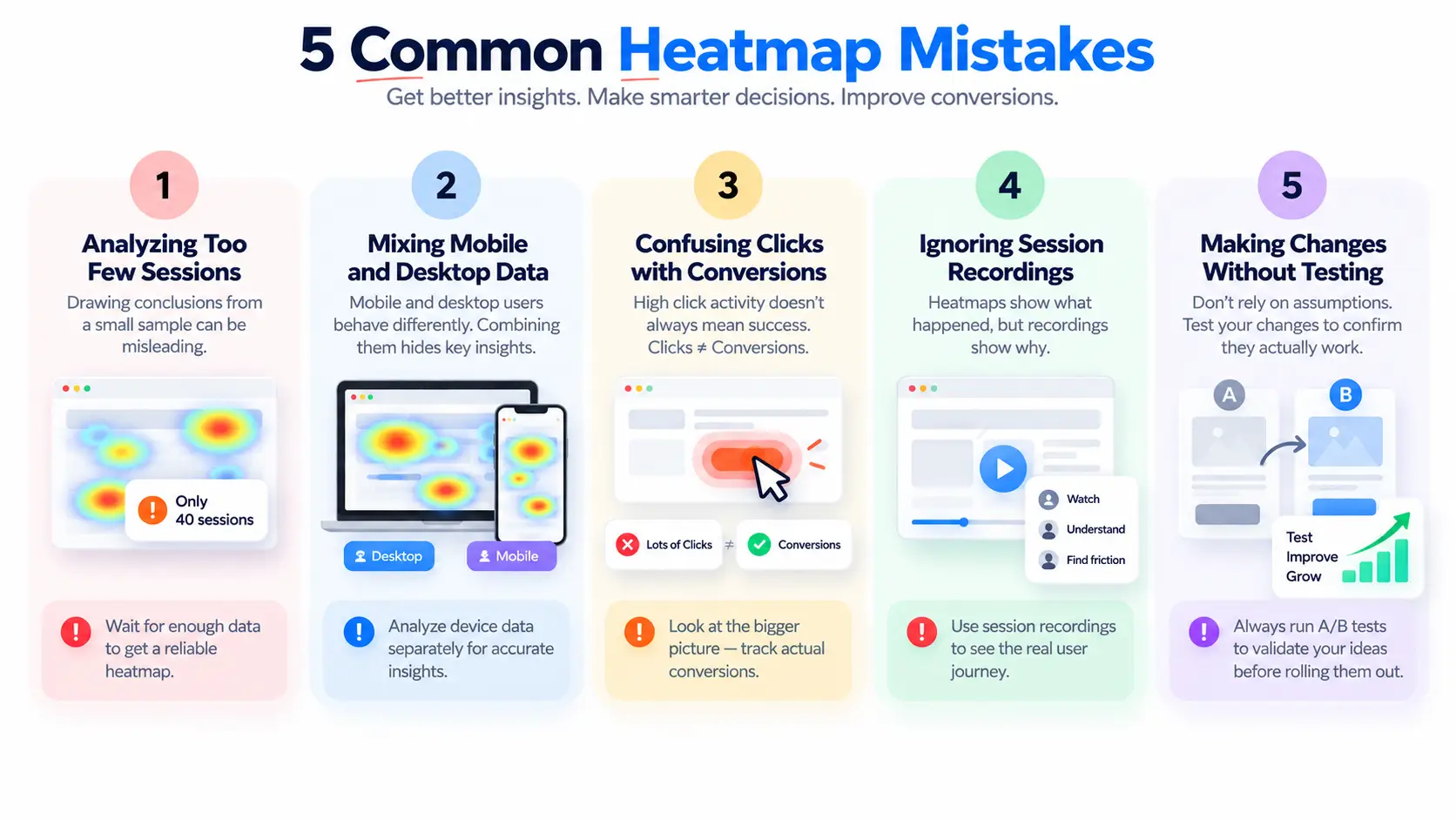
A colorful heatmap feels like an answer, but it’s easy to misread especially on a free plan with a capped sample size. A common mistake is drawing conclusions from too few sessions; a heatmap based on 40 recordings isn’t reliable yet. Another is ignoring device segmentation: mobile and desktop heatmaps often look completely different, and blending them hides the real story. Finally, don’t stop at “interesting” a heatmap only becomes useful once it leads to an actual change you test.
FAQ
Is there a genuinely good free CRO & Heatmap Tools?
Yes, Microsoft Clarity is completely free with unlimited sessions, offering click maps, scroll maps, session recordings, and rage-click detection. It’s the strongest starting point for beginners without a CRO budget.
What’s the best free heatmap tool for a small ecommerce store?
Lucky Orange or Hotjar’s free plan are the best starting points both combine heatmaps and recordings with enough session volume to audit a product or checkout page, without paying anything.
Do free heatmap tools slow down my website?
Reputable tools load asynchronously via a lightweight snippet, so impact is minimal for most sites, even on free plans. It’s still worth monitoring page speed after installation on any tool.
What’s the difference between a heatmap tool and a CRO tool, and are any full CRO tools free?
A heatmap tool shows where visitors click and scroll. A full CRO & heatmap tools adds A/B testing to confirm a fix works. Most genuinely free plans (Clarity, Hotjar, Mouseflow) cover heatmaps and recordings well but offer little to no free A/B testing.
When should I upgrade from a free plan?
Usually once your session cap fills before the month ends, or once you need A/B testing to validate a change instead of just diagnosing a problem. Clarity’s unlimited plan delays this longest.
Are free heatmap tools GDPR-compliant?
Yes, in most cases Microsoft Clarity, Hotjar, and Mouseflow all include PII masking and GDPR-compliant data handling by default, even on free tiers.
Final Verdict
For most beginners, Microsoft Clarity is the obvious starting point it’s genuinely free with no session limits and no hidden catch. If you specifically need on-page surveys, add Hotjar’s free plan; if checkout abandonment is your problem, Mouseflow’s Friction Score is worth the switch. You can run a serious CRO diagnosis entirely on free CRO & heatmap tools before ever reaching for a paid plan.