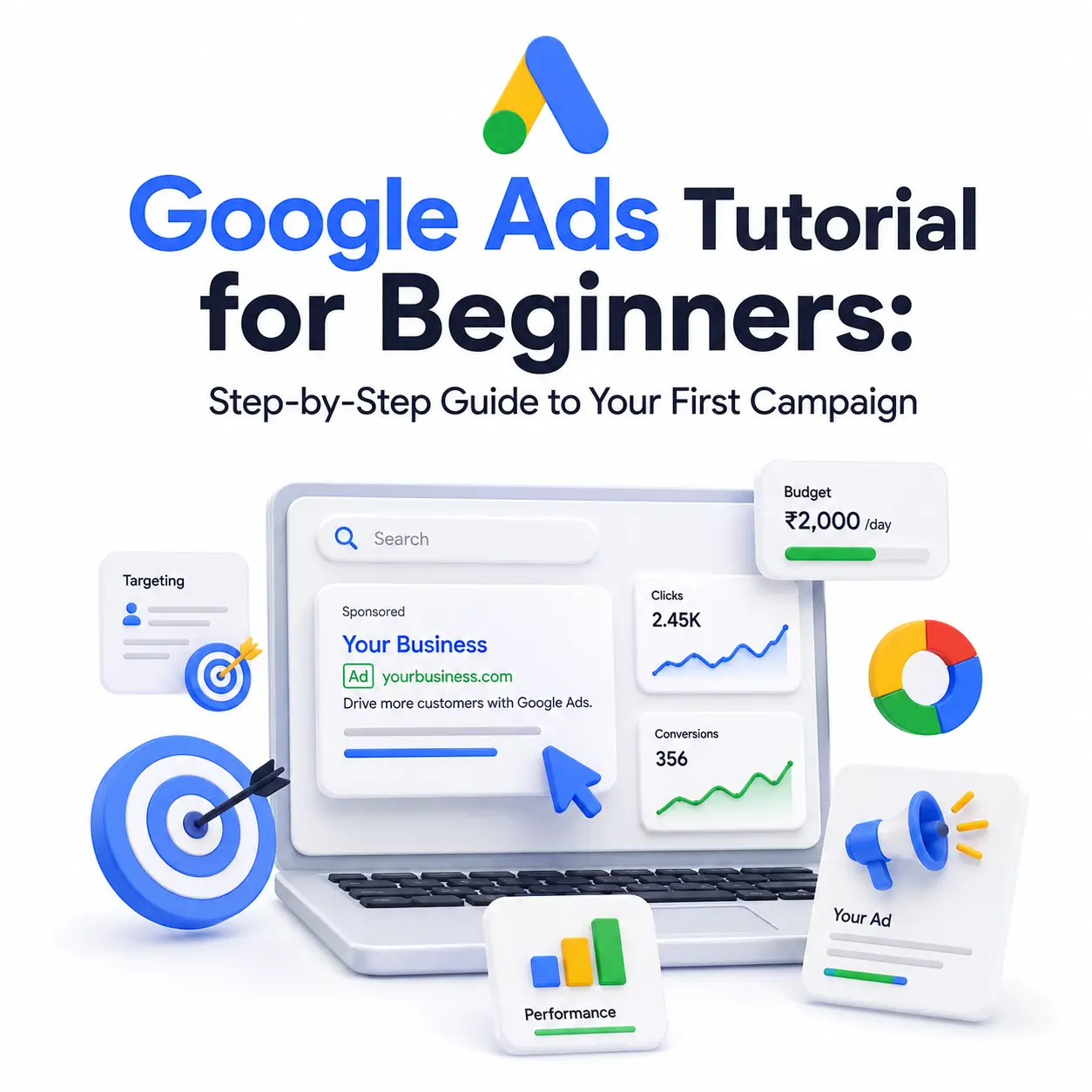
If you’ve never touched Google Ads before, the platform can feel intimidating: bidding, Quality Score, match types, campaign types- it’s a lot of new vocabulary at once. This Google Ads tutorial for beginners breaks the whole process into plain-language steps, from understanding how Google Ads works to launching and optimizing your very first campaign. No jargon, no assumed experience just a clear path from zero to your first live ad.
What Is Google Ads and How Does It Work?
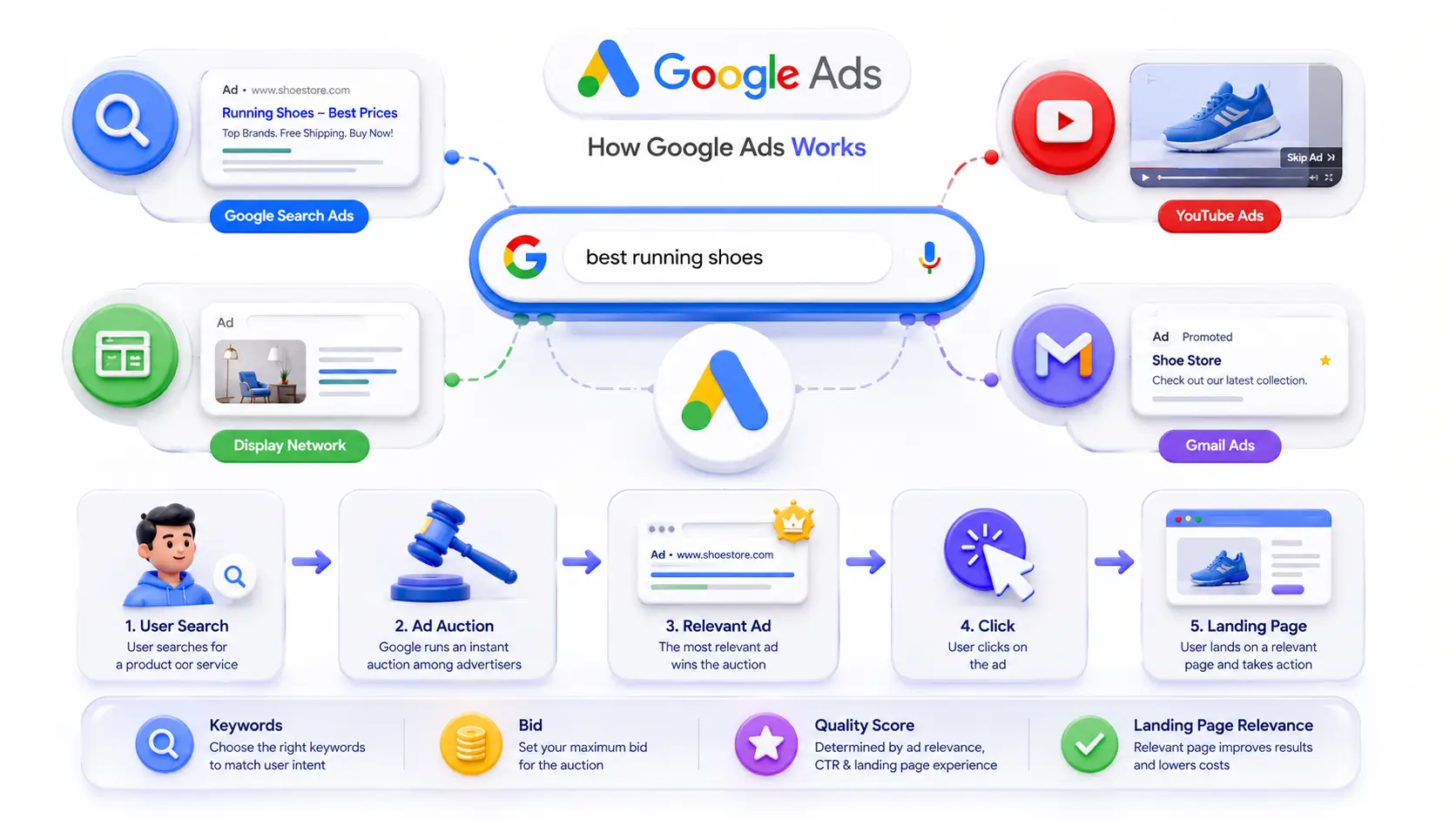
Google Ads is Google’s pay-per-click (PPC) advertising platform. It lets businesses show ads on Google search results, YouTube, Gmail, and millions of partner websites (the Display Network). Instead of hoping the right people stumble onto your website, PPC Ads puts your business in front of people who are actively searching for what you offer right when they’re looking for it.
That timing is what makes paid search so effective compared to other advertising channels. Search intent is powerful: people typing a query into Google have already told you what they want. Paid search ads capture the majority of clicks on buying-related searches, a strong reason beginners consider Google Ads over slower-building channels like SEO or social media.
Google Ads vs. Google AdWords
If you’ve seen the name “Google AdWords” in an older tutorial, don’t worry; it’s the same platform. Google renamed AdWords to Google Ads in 2018 to better reflect everything the tool does beyond text search ads, including Shopping ads, Display ads, and YouTube video ads. Any guide referencing AdWords today is describing modern Google Ads.
The Auction and Pay-Per-Click Model, Simplified
Every time someone searches on Google, an instant auction decides which ads show and in what order. You don’t pay to enter the auction, and you don’t pay just for your ad to appear; you only pay when someone actually clicks it. Your position depends on your bid combined with your Quality Score, which measures how relevant and useful your ad and landing page are to the search.
Is Google Ads Right for You as a Beginner?
Google Ads works well for digital marketers who have a clear product or service, a working landing page, and a willingness to start small and learn from real data. It’s less forgiving for businesses with no clear offer or no way to track what happens after the click. The good news: you don’t need a huge budget or a marketing background to get useful results from your first campaign; you need patience and a willingness to test.
How Much Should Beginners Budget to Start
There’s no official minimum spend on Google Ads. Many beginners start with $5–$10 per day to get a feel for the platform, then scale up once they see which keywords and ads perform. As a rule of thumb, aim for a monthly budget in the $300–$500 range if possible; that’s usually enough clicks to start seeing meaningful patterns in performance.
Setting Up Your First Google Ads Account
To get started, go to the Google Ads homepage and sign in with a Google account, then follow the prompts to create your first campaign. Google will try to walk you through everything automatically; this is where your first real decision comes in.
Choosing Between Smart Mode and Expert Mode
During setup, Google often defaults new accounts into Smart Mode, a simplified, largely automated version of the platform. For a true beginner who wants to learn how Google Ads actually works and who wants control over budget, keywords, and targeting, switching to Expert Mode is usually the better choice. Look for a “Switch to Expert Mode” link during setup, or in your account settings afterward.
Linking Your Website and Conversion Tracking
Before your first click ever happens, set up conversion tracking: a small snippet of code (or a Google Tag) placed on your website that tells Google when a click turned into a result: a purchase, a form fill, a call. Without this, you’re flying blind. Set it up during account creation if you can, since it takes time to start collecting data.
How to Do Keyword Research for Google Ads
Keywords are the terms that trigger your ad to appear. Good keyword research is the foundation of a cost-effective campaign; it’s how you make sure you’re only paying for clicks from people genuinely interested in what you offer.
Using Google Keyword Planner (Step-by-Step)
- Sign in to your Google Ads account and open Tools > Keyword Planner.
- Choose “Discover new keywords” and enter 5–10 seed terms describing your product or service.
- Review the list Google generates, sorting by average monthly searches and competition.
- Filter out irrelevant or low-intent terms, then add the strongest keywords to your plan.
Keyword Planner is free with any Google Ad account and remains the most reliable source for real search volume and cost estimates, even though third-party tools can add useful competitive insight.
Understanding Match Types (Broad, Phrase, Exact)
Match types control how closely a search has to resemble your keyword before your ad is eligible to show. Broad match casts the widest net and reaches loosely related searches; phrase match requires the core meaning of your keyword to appear in order; exact match is the most restrictive, generally showing your ad only for very close variations of the exact term. Beginners are usually better off starting with phrase and exact match to keep spend focused.
Why Negative Keywords Matter
Negative keywords tell Google which searches to exclude, even if they contain your target keyword. If you sell premium leather boots, adding “free” and “jobs” as negative keywords stops your ad from showing to bargain hunters and job seekers, protecting your budget from clicks that were never going to convert.
Creating Your First Campaign, Step by Step
With keyword research done, it’s time to build the campaign itself. Google will ask for a campaign objective, a campaign type, and your targeting settings before you write a single ad.
Choosing a Campaign Type (Start with Search)
For a first campaign, choose Search rather than Display, Performance Max, or Smart Campaigns. Search campaigns show text ads directly in Google search results and give you the clearest view of exactly which keywords are costing money and which are converting essential visibility while you’re still learning the platform.
Setting Your Location and Audience Targeting
Set your geographic targeting as specifically as your business allows; don’t target an entire country if you only serve one region. Under location options, choose “Presence” rather than “Presence or Interest,” so your ad only shows to people actually located in your target area rather than people simply researching that area from elsewhere.
Structuring Ad Groups the Right Way
Group closely related keywords into their own ad group, each with ads written specifically for those terms. Tightly themed ad groups (for example, one for “running shoes” and a separate one for “hiking boots”) improve relevance, which improves Quality Score, which lowers your cost per click over time.
Writing Ads That Get Clicks
PPC Ads today run primarily on Responsive Search Ads, where you supply multiple headlines and descriptions and Google’s system tests combinations to find what performs best.
Headline and Description Best Practices
- Include your main keyword naturally in at least one headline.
- Lead with the specific benefit or offer, not vague brand language.
- Add a clear call to action: “Shop Now,” “Get a Free Quote,” “Book Today.”
- Write 8–10 varied headlines so Google’s testing has real options to work with.
Using Ad Extensions (Sitelinks, Callouts)
Extensions add extra information beneath your ad links to specific pages (sitelinks), short trust-building phrases (callouts), or your phone number (call extensions). They make your ad larger and more useful on the results page, which typically improves click-through rate at no extra cost per impression.
Understanding Google Ads Costs and Bidding
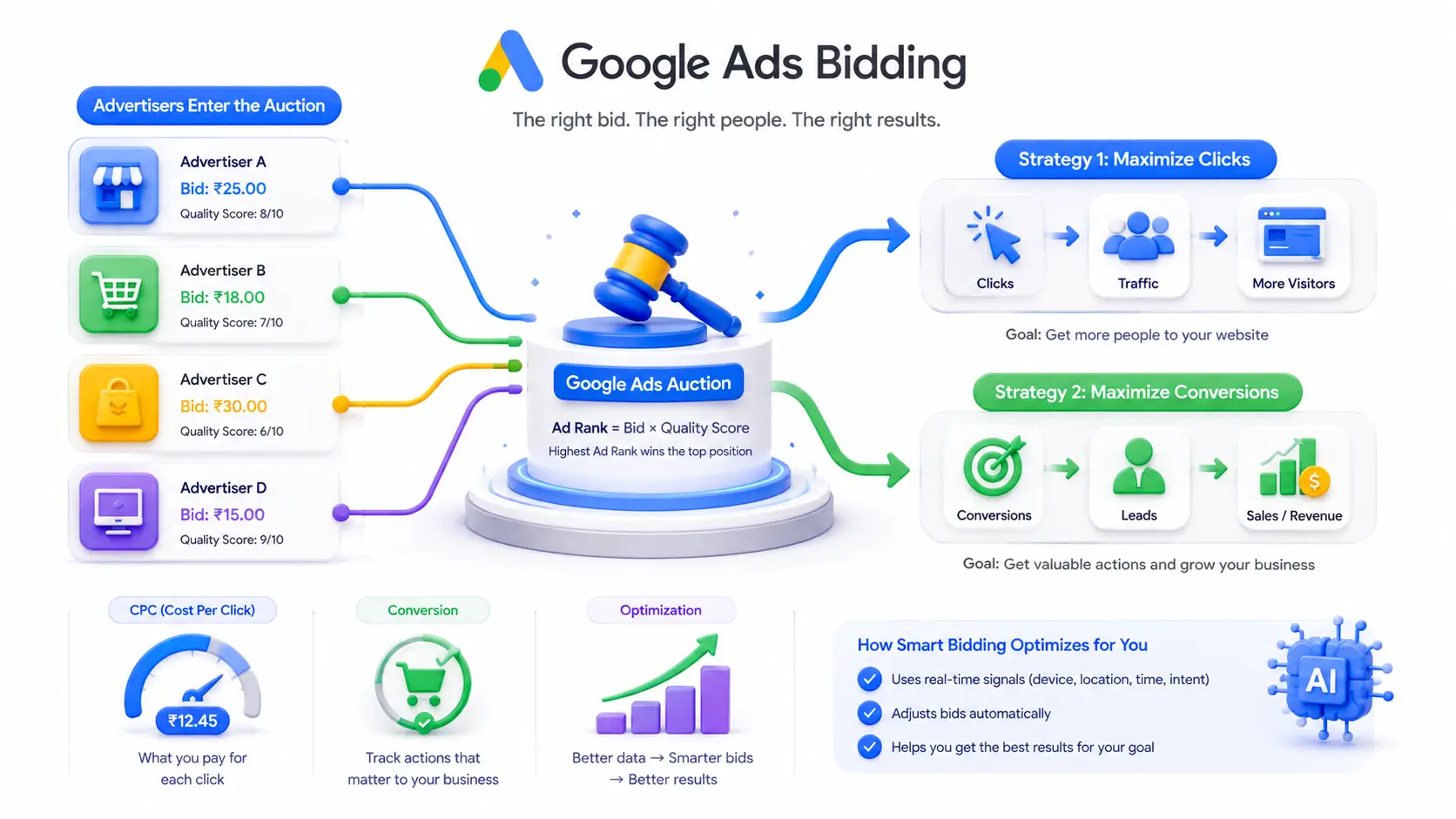
Google Ads runs on a cost-per-click model; you’re charged only when someone clicks your ad, not for impressions. Actual cost per click varies enormously by industry and competition, ranging from under a dollar to well over $50 for highly competitive terms.
Manual vs. Automated Bidding Strategies
New accounts have no conversion history, so conversion-focused automated strategies like “Maximize Conversions” often struggle out of the gate. Many beginners get better initial control starting with “Maximize Clicks” and a manual maximum CPC bid limit, then switching to automated, conversion-based bidding once the account has collected real performance data, typically after 20–30 conversions.
Setting a Daily Budget You Can Afford
Set a daily budget you’re genuinely comfortable spending even if results are mixed in week one. Treat Google’s suggested bids as a ceiling rather than a target; real costs often land lower than Google’s initial estimate once your Quality Score improves.
Beginner Must-Know Before Setting Google Ads Campaign
- Display Network is often included by default in new Search campaigns; untick it if you want to stay focused on search intent while you’re learning.
- Broad match without negative keywords can burn budget fast; add negatives before you launch, not after.
- “Maximize Conversions” bidding needs conversion data to work well; start with manual bidding or Maximize Clicks until you have some.
Tracking, Optimizing, and Avoiding Beginner Mistakes
Launching the campaign is only step one. The real value of PPC Ads comes from reviewing performance data and adjusting, pausing underperforming keywords, refining ad copy, and reallocating budget toward what’s working.
What Is Quality Score and Why It Matters
Quality Score is Google’s 1–10 rating of how relevant your keywords, ads, and landing page are to a searcher. A higher Quality Score can lower your cost per click and improve your ad position, because Google rewards ads it believes will genuinely satisfy the searcher, not just the highest bidder.
5 Common Beginner Mistakes to Avoid
- Set-it-and-forget-it: launching a campaign and never checking back in.
- Over-tinkering: making major changes daily before the data has had time to stabilize.
- Skipping negative keywords, letting irrelevant clicks drain the budget.
- Sending traffic to a generic homepage instead of a page matched to the ad.
- Judging results after only a few days instead of a full 1–2 week cycle.
Frequently Asked Questions
Is Google Ads good for beginners?
Yes. Google Ads is beginner-friendly if you start with Search campaigns and a small daily budget. The interface has built-in guidance, and mistakes are usually low-cost if caught early. The learning curve is steeper than social ads, but tutorials and Google’s own Skillshop training make it manageable.
How much does Google Ads cost for a beginner?
There’s no minimum spend you can start with $5–$10 per day. Actual cost-per-click varies widely by industry, from under $1 to $50+ for competitive terms. Most beginners should budget at least $300–$500/month to gather enough data to optimize campaigns effectively.
What’s the difference between Google Ads and Google AdWords?
They’re the same platform. Google rebranded AdWords to “Google Ads” in 2018 to reflect that it covers more than search text ads, including Display, Shopping, and YouTube ads. Any tutorial mentioning “AdWords” is describing today’s Google Ads.
Do I need a website to run Google Ads?
Yes, in most cases. Google requires a landing page on your website, a product page, or even a well-built landing page tool where the ad sends clicks. Google also uses your site to help calculate Quality Score and ad relevance.
How long until I see results from Google Ads?
Traffic starts almost immediately after approval, often within hours. Meaningful data for optimization typically takes 1–2 weeks, and reliable performance trends take 4–6 weeks. Unlike SEO, Google Ads delivers visibility fast, but strong ROI still takes iteration.
Can I learn Google Ads for free as a beginner?
Yes. Google’s own Skillshop platform offers free certifications, and the Keyword Planner tool is free with any Google Ads account. Paid courses exist, but a beginner can build a working first campaign using only Google’s free documentation and tools.
Final Thoughts
Search Engine Marketing rewards beginners who start small, track everything, and adjust based on real data rather than guesswork. Set up your first Search campaign with a modest budget, tight keyword targeting, and conversion tracking in place from day one. Give it two full weeks before making major changes, then use what you learn to expand into new keywords, ad groups, or campaign types with real confidence.