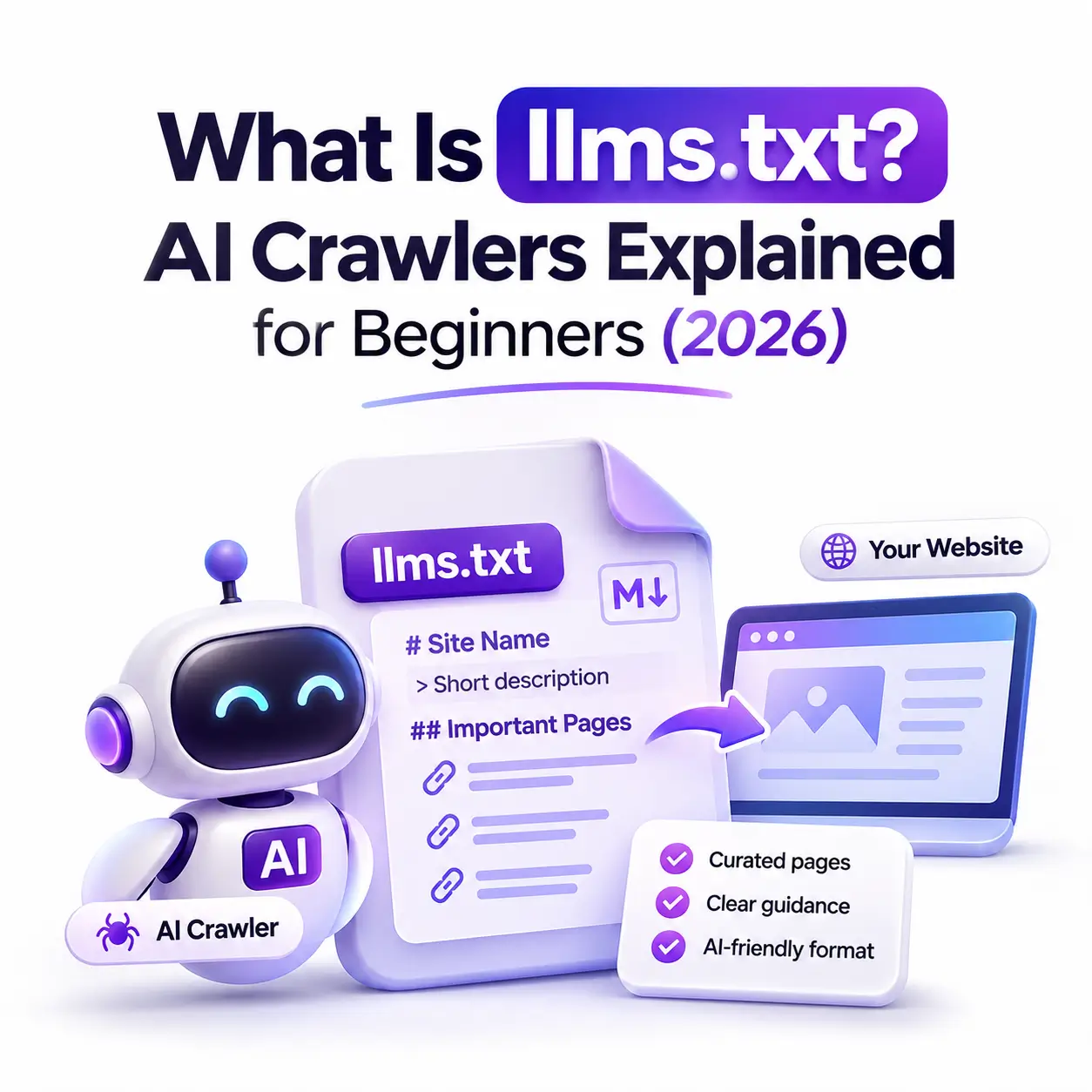
llms.txt is a proposed plain-text file, written in Markdown, that gives large language models a short, curated guide to a website. It sits at the root of a domain and points AI tools to the pages that matter most. This beginner’s guide explains how AI crawlers work, what the file contains, whether Google and other platforms use it, and how it differs from robots.txt, so you can decide whether it belongs on your site.
How Do AI Crawlers Visit a Website?
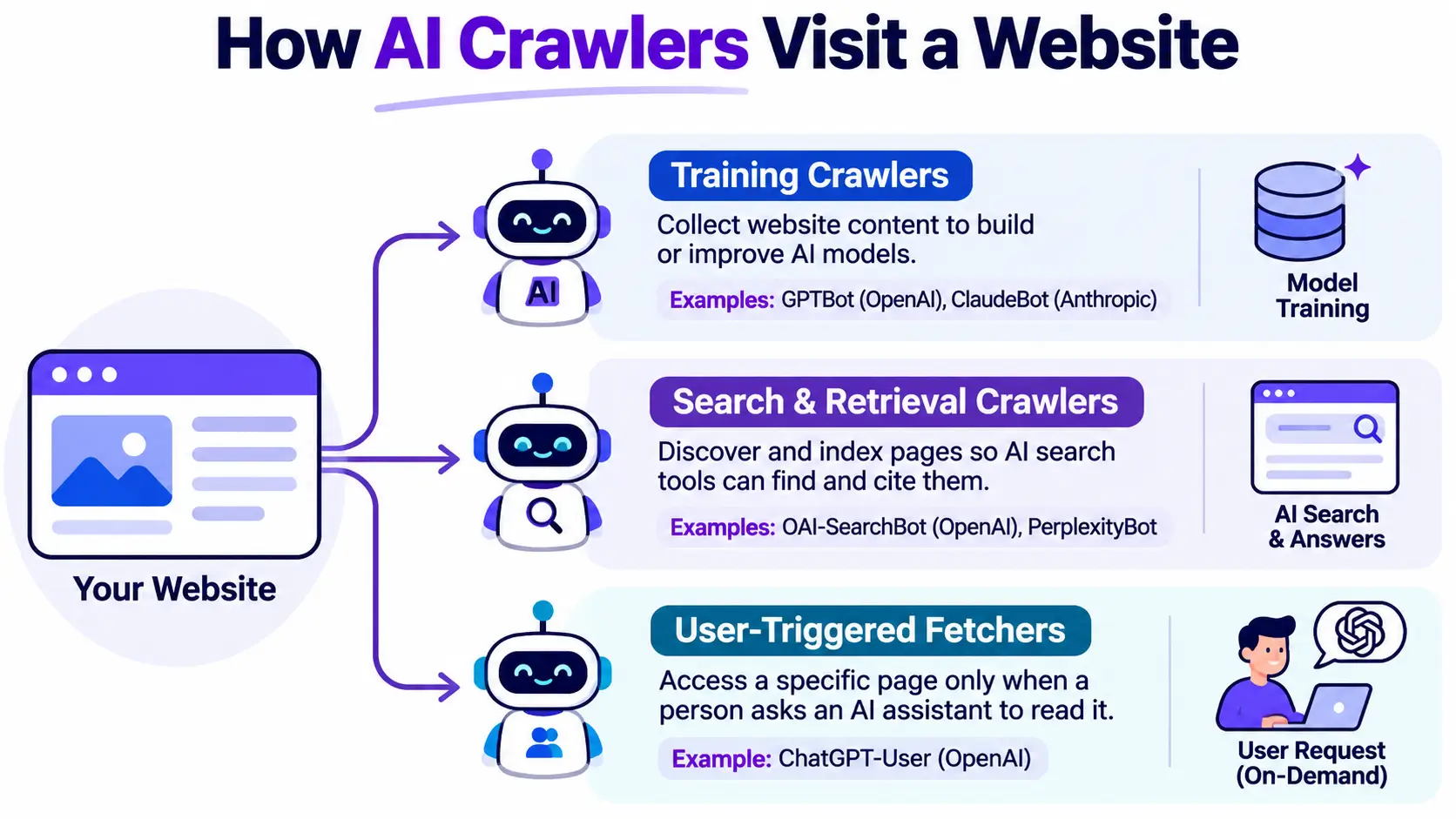
An AI crawler is an automated program that fetches web pages for an artificial intelligence system. Like a search engine bot, it requests a URL, reads the response, and follows links to other pages. The difference is what happens next. The collected text may train a model, feed a live answer, or be summarized for one person who asked a question.
AI crawlers fall into three broad groups.
Training crawlers
These bots gather content to build or improve a model. GPTBot from OpenAI and ClaudeBot from Anthropic are examples. Google uses a control token called Google-Extended that lets publishers manage whether content Google crawls can be used by Gemini models. It does not affect inclusion in Google Search.
Search and retrieval crawlers
These bots index pages so an AI search tool can find and cite them. OAI-SearchBot and PerplexityBot belong here. Blocking them can reduce your chances of appearing as a cited source in those tools.
User-triggered fetchers
These visit a page only when a person asks an AI assistant to read it, as ChatGPT-User does. Crawler names and behavior change, so confirm details in each company’s own documentation before writing any rules.
Why Should Digital Marketers Care About AI Crawlers?
AI assistants now answer many questions directly, so a page that crawlers cannot reach or understand is unlikely to be cited. Marketers who manage websites need to know which bots visit, which pages they can read, and which rules apply. This knowledge sits alongside traditional technical SEO: fast pages, clean structure, accurate content, and sensible robots.txt rules. Understanding crawlers also helps you separate useful advice from hype, a skill that grows more valuable as AI search tactics multiply.
What Is llms.txt and Why Was It Proposed?
Jeremy Howard, co-founder of Answer.AI, proposed the idea in September 2024. The problem it addresses is practical. A normal web page is packed with menus, scripts, pop-ups, and ads. A language model has a limited context window, so reading that clutter wastes space and can bury the useful parts. A clean Markdown file that lists the best pages, with a one-line note on each, gives the model a shortcut.
The proposal is a community convention, not an official web standard from a body such as the W3C. Nothing forces a crawler to read the file, which matters when you judge its value later in this guide.
What Does the File Look Like?
The format uses ordinary Markdown. A basic file has these parts:
- An H1 heading with the site or project name (the only required part)
- A short summary in a blockquote
- Optional paragraphs with extra context
- H2 sections that hold lists of links, each with a brief description
- A section named “Optional” for secondary pages that can be skipped when space is tight
Here is a small example:
# Example Academy

> Practical digital marketing lessons and guides.

## Guides

- [SEO basics](https://example.com/seo-basics): How search engines work

## Optional

- [About us](https://example.com/about)
Descriptions should be factual and specific. A note such as “current pricing and plan details” tells a model far more than “click here” or a slogan. Keep the file short enough that a person could read it in a minute.
Some sites also publish llms-full.txt, a companion file that places the full text of key pages in one document. That is a separate, informal convention.
How Is It Different From robots.txt and Sitemaps?
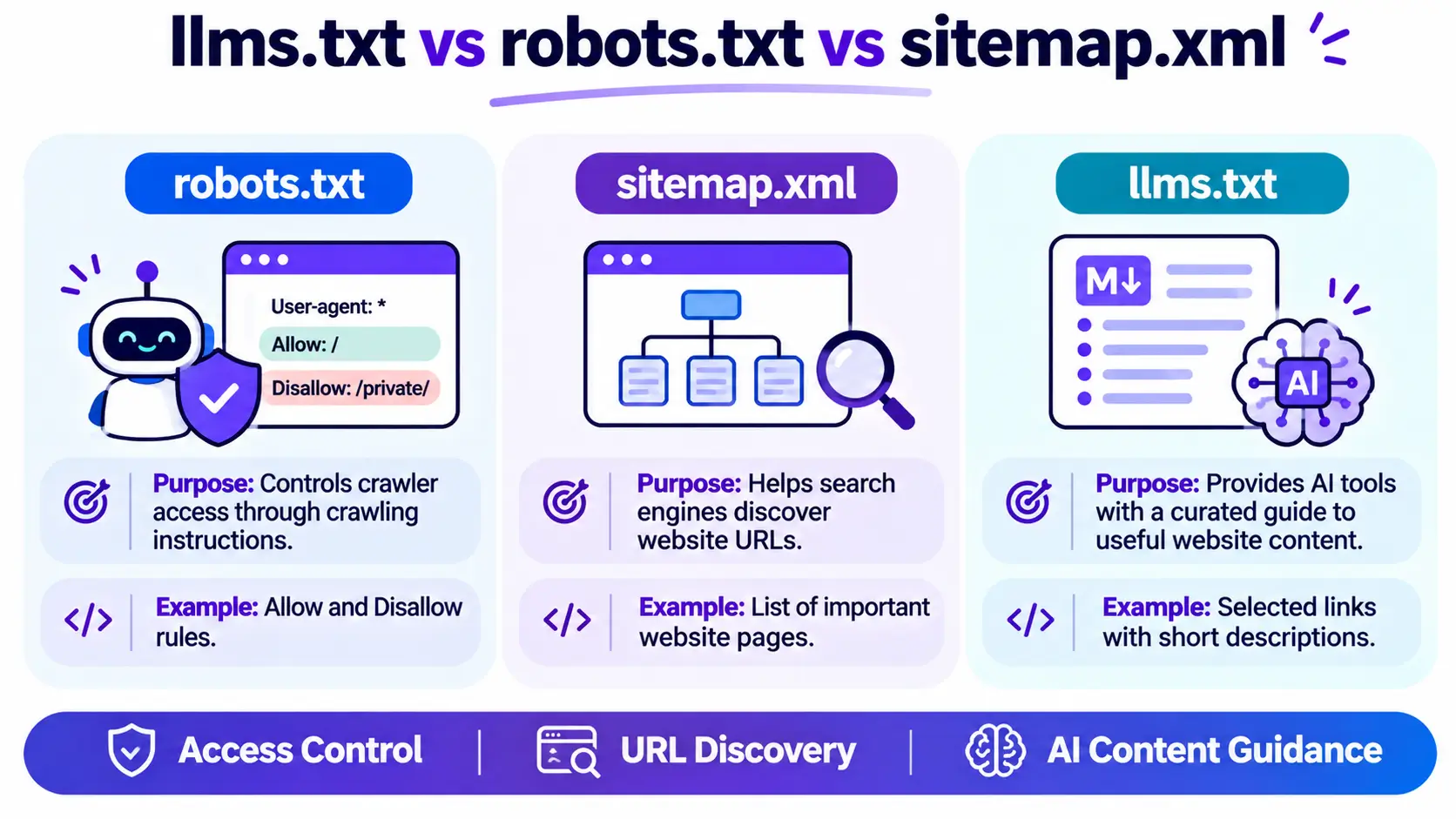
Three files often get confused because all of them sit at the root of a site and speak to automated visitors.
- robots.txt sets crawling rules. The robots.txt file tells crawlers which URLs they may request. Respectable crawlers follow it, but it is a request, not a lock.
- sitemap.xml lists the URLs you want search engines to discover, usually every indexable page.
- The AI reading file is a curated list. It does not allow or block anything, and it holds a short selection rather than every URL.
The practical rule is simple. Use robots.txt to control access, and use the reading file only to suggest where to start. If you want to stop a training crawler, a Disallow rule in robots.txt is the right tool.
Do AI Platforms Actually Use It?
The evidence so far is thin. Google’s guide to optimizing for generative AI features says Google Search does not use these files. A June 2026 update added that it is fine to maintain them for other services, since they neither help nor harm your visibility or rankings in Google Search.
Usage data points the same way. A 90-day server log study by OtterlyAI, reported by Search Engine Land, found that only 84 of 62,100 AI bot requests (about 0.1%) asked for the file. That coverage also noted that no major AI platform had publicly confirmed that its crawlers read it.
One Google product does look for it. Chrome’s Lighthouse tool includes an experimental audit that checks the file as an optional readiness signal for AI agents that browse the web.
The sensible conclusion is to treat the file as a low-risk experiment, not a ranking tactic.
Should a Beginner Create One?
It depends on your site. The file makes most sense for sites with structured reference content, such as software documentation, API guides, or course catalogs, where AI assistants and agents fetch pages to answer technical questions. For a small local business, time is usually better spent on crawlable pages, clear writing, and accurate business details. Strong content structure does more for AI visibility than any single file, as explained in our guide on how to structure content for AI answer engines.
If you decide to try it, follow these steps:
- Choose 10 to 30 of your most useful pages, such as core guides, product pages, and policies.
- Write a one-sentence summary of the site for the blockquote.
- Group the links under clear H2 headings and add a short description after each link.
- Save the file as plain text in the root folder, so it loads at yourdomain.com/llms.txt.
- Confirm that robots.txt does not block the file or the pages it lists.
- Review it whenever you publish, merge, or delete important pages.
After uploading, open the address in a browser to confirm it displays as plain text. Later, check your server logs or hosting analytics for user agents such as GPTBot or ClaudeBot to see which bots visit. A visit proves that a crawler fetched a page, not that it will quote it in an answer.
Common mistakes to avoid
- Listing every URL, which defeats the purpose of curation
- Adding sales language instead of factual descriptions
- Linking to redirected, broken, or blocked pages
- Expecting ranking gains that no platform has promised
- Forgetting to update the file after site changes
Frequently Asked Questions
Does Google use llms.txt?
No. Google says Google Search ignores these files and that they neither help nor harm rankings. You can still keep one for other tools that may read it.
Is the file a ranking factor?
No platform has confirmed that it is. Rankings in Google Search depend on crawlable, indexed, helpful pages, so basic SEO work matters far more.
Can it block AI crawlers from my site?
No. The file only suggests pages worth reading. To limit crawler access, add rules to robots.txt for the specific user agents you want to control.
Where should I place the file?
Put it in the root directory of your domain, not inside a subfolder, so crawlers and people can open it at the top level of your site address.
What is the difference between llms-full.txt and the standard file?
The standard file is a short index of links with descriptions. The full version bundles the complete text of important pages into one document, which suits documentation sites more than ordinary business sites.
How can I see which AI crawlers visit my site?
Server logs and most hosting dashboards record the user agent of every request. Search them for names such as GPTBot, ClaudeBot, OAI-SearchBot, or PerplexityBot to see how often each one appears.
Do small businesses need one?
Usually not. A small business gains more from a fast site, clear service pages, a complete Google Business Profile, and content that answers real customer questions.
Conclusion
AI crawlers are automated visitors that gather content for training, search, and live answers. The proposed text file offers them a curated reading list, but it is a community idea, not a rule, and Google Search ignores it. Creating one costs little and does no harm, yet it should never replace crawlable pages, clear writing, and sound technical SEO.
Want to diagnose algorithm updates and build SEO strategies that last?