A sudden fall in rankings or organic traffic this month has many site owners checking their dashboards. The likely trigger is the Google core update that began rolling out on November 10, 2026. This guide explains what the update is, why rankings move, how to confirm whether your site was affected, and which actions make sense right now. It follows Google’s own guidance, so you can respond with a clear plan instead of guesswork.
What Is the November 2026 Google Core Update?
Google released the November 2026 core update on November 10, 2026. The Google Search Status Dashboard lists it as a global rollout that applies to all languages, and Google said it may take up to two weeks to complete. It is the third core update of 2026, following the March and May releases.
Google has not published new ranking requirements for this release. Its advice stays the same as in its core updates documentation: build helpful, reliable, people-first content, and judge your results only after the rollout ends.
How a Core Update Works
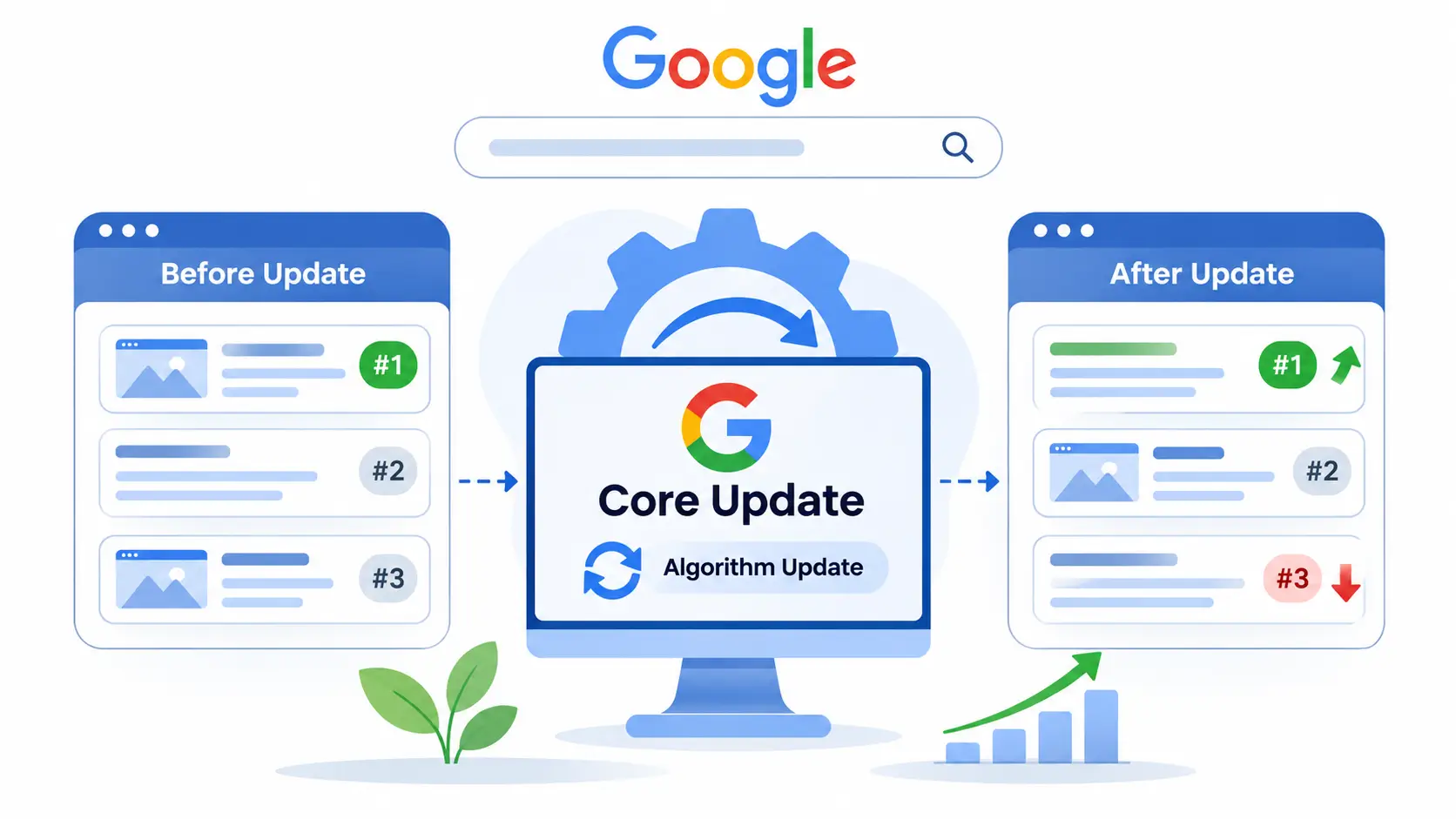
A Google core update is a broad change to Google’s search systems. It does not target a specific website or page. Google makes these changes several times a year so results stay helpful and reliable as the web changes.
Google explains it with a simple comparison: imagine updating a personal list of favourite restaurants. New places open, and your own priorities shift. Some entries move up and others move down, yet the ones that drop are not necessarily bad. Other options simply earned a spot above them.
Has the Rollout Finished?
At the time of writing, the dashboard shows the update as still in progress. Earlier rollouts show how long these can run. The dashboard lists the March 2026 core update at about 12 days and the December 2025 core update at about 18 days. Check the dashboard for the official end date before you analyse anything, because rankings can swing up and down while a rollout is live.
Why Did Your Rankings Drop After a Core Update?
Rankings are comparative. Google measures your page against every other page that can answer the same query, so a drop usually means other pages now serve the searcher better. It rarely means your site broke a rule.
Common reasons include:
- Weak helpfulness: pages that repeat what already exists without original information, examples or analysis.
- Search intent mismatch: content that answers a different question from the one searchers are asking.
- Outdated or thin pages: articles that stayed unchanged while competitors published fresher, fuller answers.
- Low trust signals: missing author details, unclear sourcing or claims without support.
- Search-first content: pages written mainly to capture traffic instead of helping a reader.
- Poor reading experience: slow loading, intrusive pop-ups or awkward layouts on mobile.
Not every traffic drop comes from the update. Seasonal demand, tracking changes, technical errors and manual actions can look similar. Google also runs separate spam updates, such as the one in September 2026, and those work differently from core updates. Confirm the cause before you change anything.
How to Check Whether the Core Update Affected Your Site
Google Search Console gives you the cleanest evidence. Work through it in this order:
- Confirm the rollout has ended. Note the start and end dates on the Search Status Dashboard.
- Wait a full week. Google recommends waiting at least seven days after completion before you analyse your data.
- Compare equal periods. In the Performance report, compare the week after the update finishes with the week before it started.
- Review top pages and queries. These carry the most data, so they show clearer patterns.
- Split by search type. Check Web, Images, Video and News separately, because a drop in one does not mean a drop in all.
Small Drop or Large Drop?
The size of the change decides your response. Google treats a small movement, such as a page slipping from position 2 to position 4, as normal fluctuation. It advises against drastic changes, especially to content that already performs well.
A large and sustained drop, such as position 4 to position 29, calls for a deeper assessment of the whole site and of the most affected pages. Google’s guide to debugging drops in Search traffic helps you rule out technical problems and seasonal patterns first.
What to Do Right Now: A Practical Action Plan
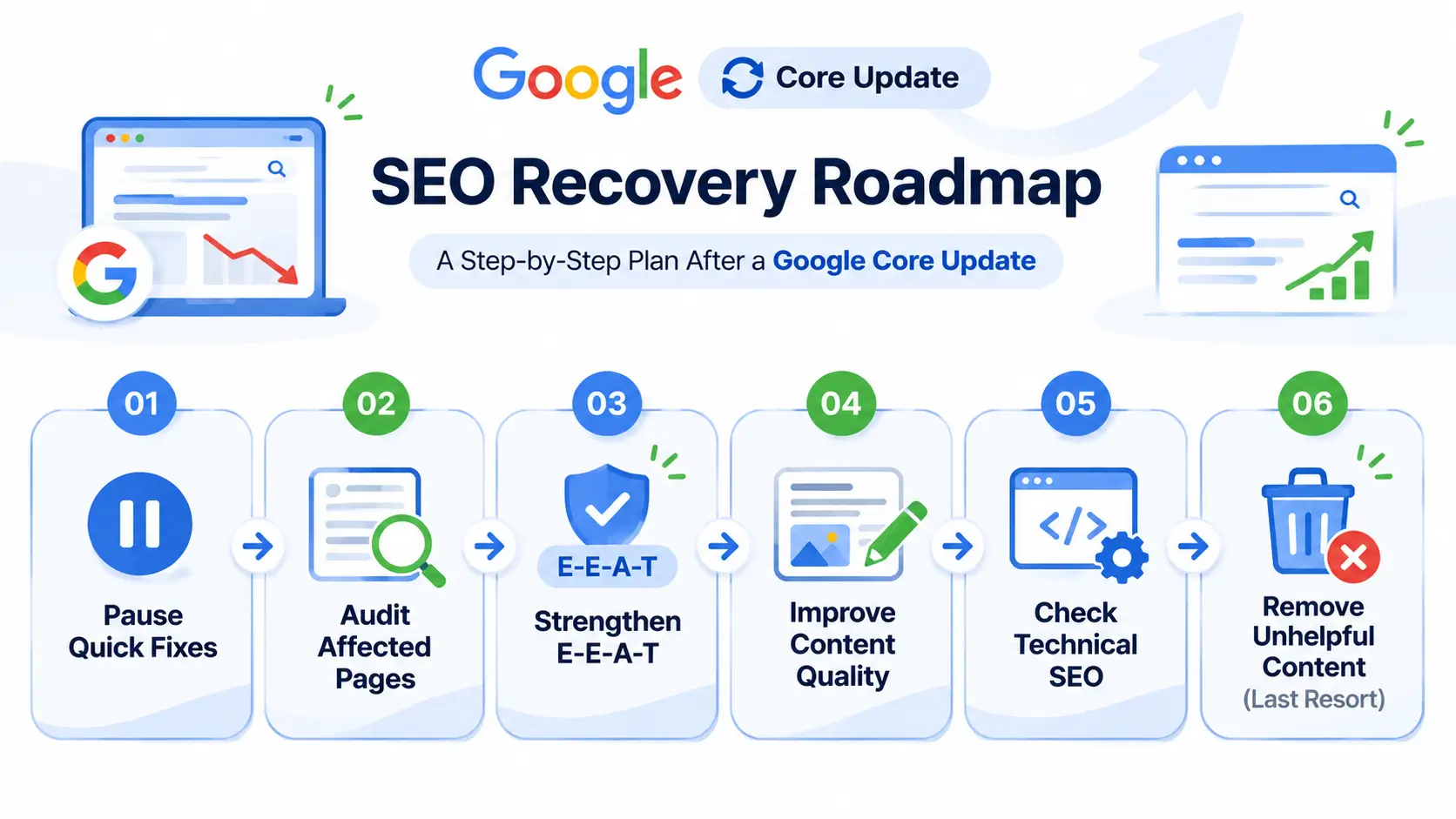
1. Pause the Quick Fixes
Resist the urge to rewrite, delete or redirect pages while the rollout is running. Google specifically warns against quick fixes, such as removing a page element because someone said it hurts SEO. Changes made while results are still moving make it harder to learn what worked.
Record the dates, affected pages and queries instead. That gives you a clean baseline for the next step.
2. Assess Your Most Affected Pages Honestly
List the pages that lost the most clicks and impressions. Open the pages that now rank above yours for the same query and compare them. Ask whether they answer the question faster, show more depth, use clearer structure or offer something yours lacks.
Google’s questions on creating helpful, reliable, people-first content work as a ready-made checklist. Ask someone unaffiliated with your site to run through them too, because outside readers spot gaps that owners miss.
3. Strengthen Experience, Expertise, Authoritativeness and Trust
Google’s guidance frames quality around E-E-A-T: experience, expertise, authoritativeness and trust. You can put that framework to work with a few practical steps:
- Show named authors with relevant credentials and a short bio.
- Add first-hand information, original data or screenshots from your own work.
- Cite clear sources for statistics and technical claims.
- Keep information accurate and current, with visible update dates.
- Publish transparent about, contact and policy pages.
4. Improve Content in Meaningful Ways
Rework weak pages so readers get a better answer. Restructure long pages with descriptive headings, add missing subtopics, update outdated facts and match the format to the intent behind the query.
Merge overlapping articles that compete with each other into one stronger resource, and redirect the old addresses. Use internal links to connect related pages, so readers and crawlers can follow your topic coverage.
5. Check Technical and Page Experience Basics
Technical problems can hide or mimic ranking changes, and a poor experience frustrates the readers you want to help. Review the Core Web Vitals report in Search Console, confirm mobile usability, and make sure your important pages are crawlable and indexable.
6. Delete Only as a Last Resort
Google calls deletion a last resort for content that cannot be salvaged. If whole sections of a site exist mainly to capture search traffic and not to help people, removing the unhelpful material can lift the stronger pages. In every other case, improve a page before you remove it.
Mistakes to Avoid After a Ranking Drop
Avoid these common errors:
- Changing many things at once, which hides cause and effect.
- Publishing large volumes of low-value pages, written by people or generated by tools, to replace lost traffic.
- Buying links or using tactics that violate Google’s spam policies.
- Judging results before the one-week window after the rollout ends.
- Blaming the update without checking tracking, technical issues and seasonality.
- Copying competitor pages instead of making your own pages more useful.
How Long Does Recovery Take?
Google says some improvements can show an effect within days. Confirming that a site consistently produces helpful, reliable content can take several months. If several months pass without movement, the next core update may be the point where gains appear.
Google also ships smaller core updates without announcing them, so improvements can earn better positions between major releases. No change guarantees a recovery, and positions stay dynamic as searcher expectations and competing content evolve.
Build Resilience for the Next Update
Treat this update as a prompt to build a more stable search presence:
- Check Search Console every month, not only after announcements.
- Refresh your highest-value pages on a regular schedule.
- Deepen topic coverage with supporting articles that answer related questions.
- Grow traffic from email, social media, direct visits and referrals, so one channel never carries the whole business.
Why Learning How Algorithm Updates Work Pays Off
Google core updates arrive several times a year, so anyone who manages a website benefits from understanding how search works. Beginners, marketing students and business owners can build that foundation through structured digital marketing training that covers SEO, analytics and content strategy.
Frequently Asked Questions
Is the November 2026 Google core update finished?
As of November 19, 2026, the Search Status Dashboard shows the rollout as ongoing. Google said it may take up to two weeks from November 10. Check the dashboard for the official completion date.
Is a core update a penalty?
No. A Google core update reassesses how Google ranks content across the web and does not target individual sites. A page that drops has not necessarily done anything wrong. Other pages may now answer the query better.
How soon should I analyse my traffic?
Wait at least one full week after the rollout completes. Then compare that week with the week before the update began, focusing on your top pages and queries.
Should I delete pages that lost rankings?
Usually not. Google treats deletion as a last resort for content that cannot be improved. Update, restructure or merge weak pages first, and remove only content that exists mainly for search engines.
Can my rankings recover?
They can improve, but Google gives no guarantee. Some changes take effect in days, while a site-wide reassessment may take months. If nothing changes after several months, the next core update may reflect your improvements.
How is a Google core update different from a spam update?
A Google core update is a broad adjustment to ranking systems that assess helpfulness and reliability. A spam update improves how Google’s systems detect content that breaks its spam policies. Each has its own entry on the Search Status Dashboard.
Do all websites need to worry about core updates?
Google says most sites do not need to worry and may not notice one happened. Review your data only if your traffic changed around the rollout dates.
Conclusion
A Google core update reshuffles rankings by reassessing which pages help searchers most, and a drop is a signal to evaluate your content, not a verdict on your site. Wait for the rollout to end, compare equal time periods in Search Console, and match your response to the size of the change. Then improve pages in meaningful ways, strengthen trust signals, and avoid quick fixes.
Want to diagnose algorithm updates and build SEO strategies that last?