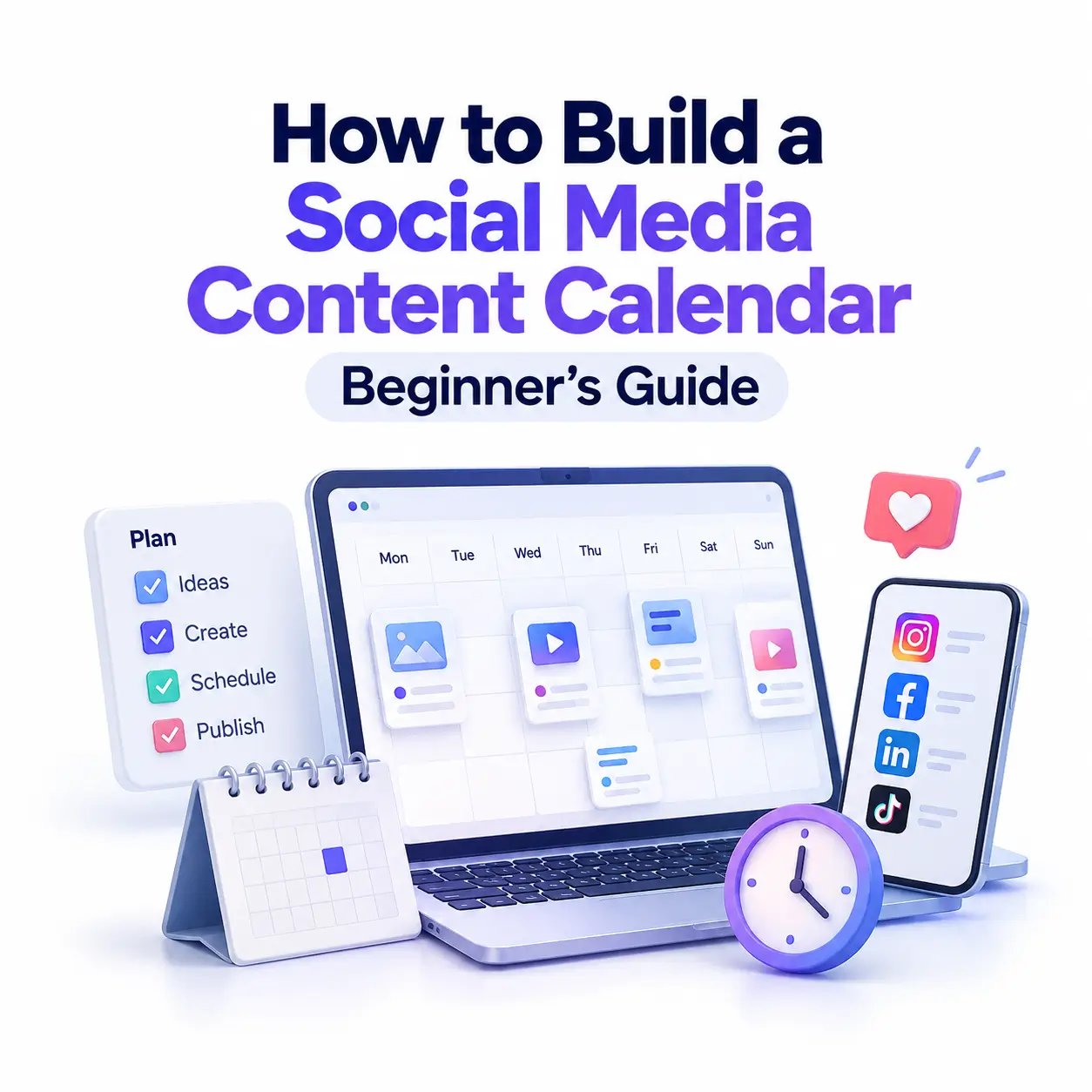
Posting when you remember, scrambling for ideas at 9 p.m., disappearing for two weeks: if that sounds familiar, you don’t have a content problem, you have a planning problem. Learning to plan your social media content calendar can help you stay organized and post consistently. This guide walks you through seven simple steps, along with a ready-to-use template and an example of a weekly schedule.
A social media content calendar helps you plan what to publish, which social media channel to use, and the date and time each post should go live. It turns scattered ideas into a repeatable routine, so you publish consistently without burning out.
What Is a Social Media Content Calendar?
Think of it as a planner for your posts, stories, reels, and campaigns. Each entry lists the date, platform, topic, format, and status, giving you one place to see everything you plan to publish. Marketers sometimes call it an editorial calendar.
Content Calendar vs. Content Strategy vs. Posting Schedule
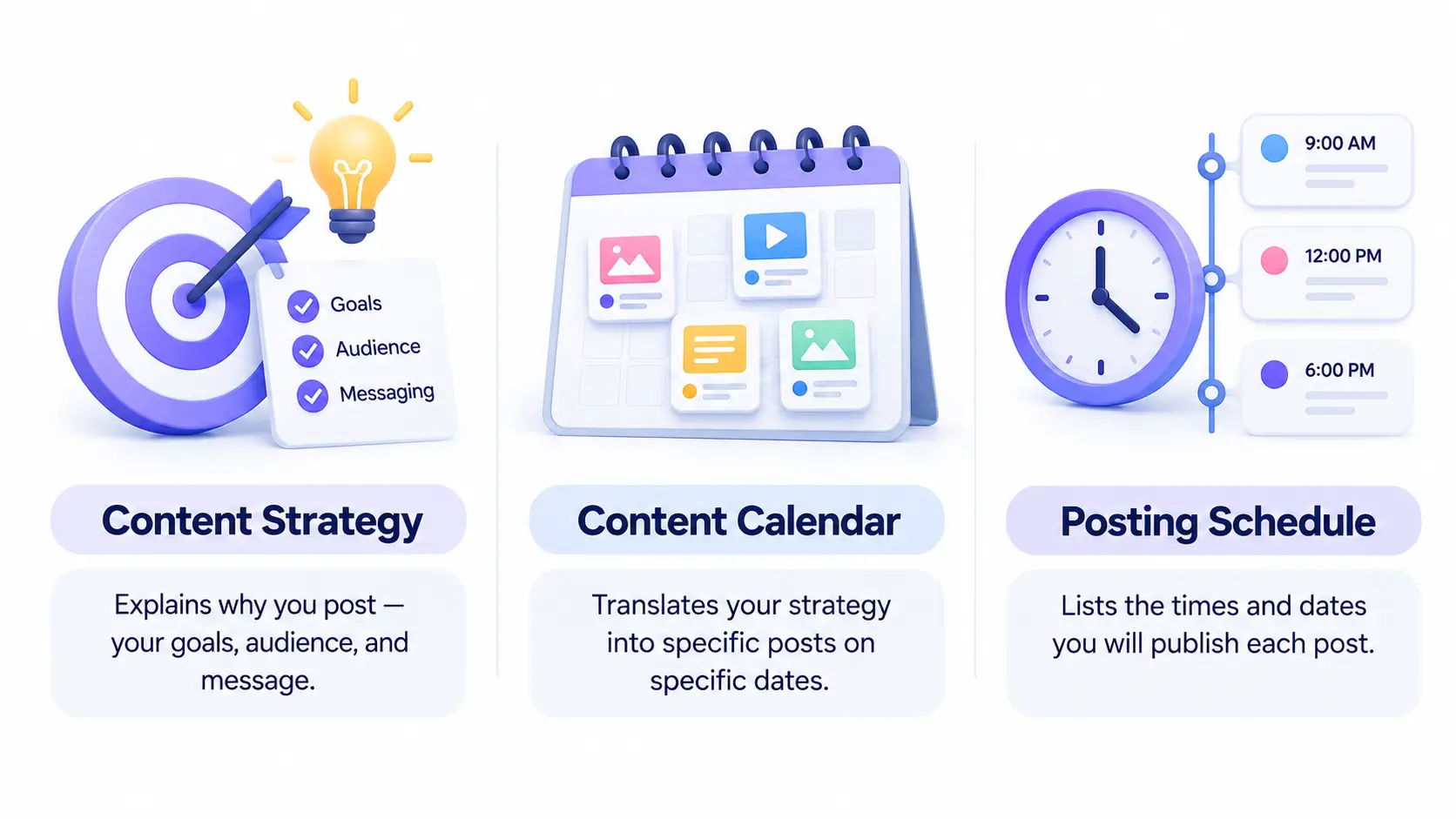
A content strategy explains why you post: your goals, audience, and message. A posting schedule only lists times. A content calendar sits between them, translating strategy into specific posts on specific dates. Build the strategy first, then let the calendar carry it out.
Why Beginners Need a Social Media Content Calendar.
Explore our guide to Social Media Marketing to learn how to create engaging content, reach your target audience, and grow your brand online. Beginners often assume calendars are only for big teams. In reality, they matter most when you’re working alone, because nobody else is there to keep you accountable.
Consistency Builds Trust
Audiences follow accounts they can rely on. A calendar keeps you visible even when motivation dips.
Less Stress, Better Posts
Planning ahead means you write captions when you’re focused, not when you’re rushed. You also spot gaps, such as a week with no educational content, before they happen.
Easier Tracking
When every post has a date, pillar, and format, you can compare results and see what actually works.
How to Create a Social Media Content Calendar in 7 Steps
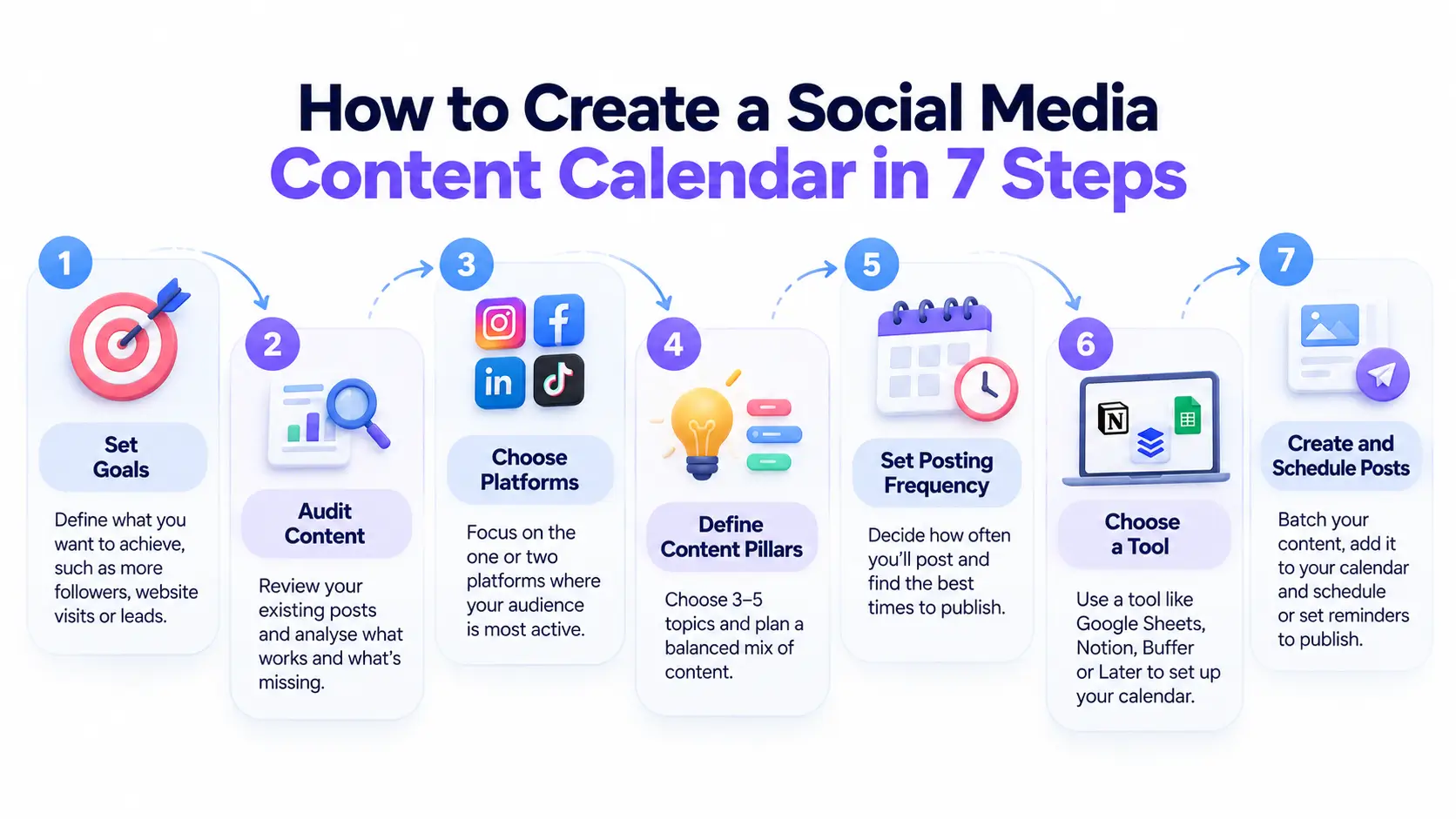
Follow these seven steps in order. Most beginners can finish the setup in a single afternoon.
Step 1: Set Clear Goals
Start with one or two goals, such as growing followers, driving website visits, or generating leads. Make them specific: “gain 200 followers in 90 days” beats “grow my audience.” Each goal points to a metric you’ll track later, such as follower growth, clicks, or saves. Write your goals at the top of your calendar so every post can be tied back to one of them.
Step 2: Audit Your Current Content and Audience
If you already post, review the last 30 to 90 days. Use each platform’s built-in analytics to find your top five posts and note their topic, format, and timing. Also list what’s missing: formats you haven’t tried or questions followers keep asking. If you’re starting from scratch, look at three competitors or peers instead, and note which posts earn the most comments and shares. This audit gives you evidence to build on rather than guesses.
Step 3: Choose the Right Platforms
You don’t need to be everywhere. Choose the one or two platforms where your audience already spends time and where you can realistically publish. A local bakery might favor Instagram and Facebook, while a B2B consultant may prefer LinkedIn. Sprout Social’s 2026 Social Media Content Strategy Report found that 87% of marketers want their brand on more networks in 2026, but beginners benefit from mastering one platform first, then expanding.
Step 4: Define Your Content Pillars and Mix
Content pillars are the main topics your account regularly focuses on. They help maintain a balanced feed and make planning future posts easier.
How Many Content Pillars Should You Have?
Three to five works well for most beginners. A fitness coach might choose workouts, nutrition, client stories, and promotions.
What Is the Social Media Rule of Thirds?
This popular guideline splits your content three ways: one third promotes your business, one third shares ideas and curated content from others, and one third is personal interaction with your audience. Treat it as a starting point, not a law. Also include short-form video, which HubSpot’s State of Marketing 2026 reports as the highest-ROI format tracked.
Step 5: Decide Posting Frequency and Timing
Now decide how often you’ll post and when.
How Often Should Beginners Post?
There is no magic number. Use this capacity formula: weekly hours available ÷ average time per post = realistic posts per week. If you have three hours and each post takes 45 minutes, plan four posts. A schedule you can keep beats an ambitious one you abandon.
How Far in Advance Should You Plan?
Plan two to four weeks ahead. For the best time to post, start with each platform’s analytics, test different slots, and keep what performs.
Step 6: Choose a Tool and Set Up Your Template
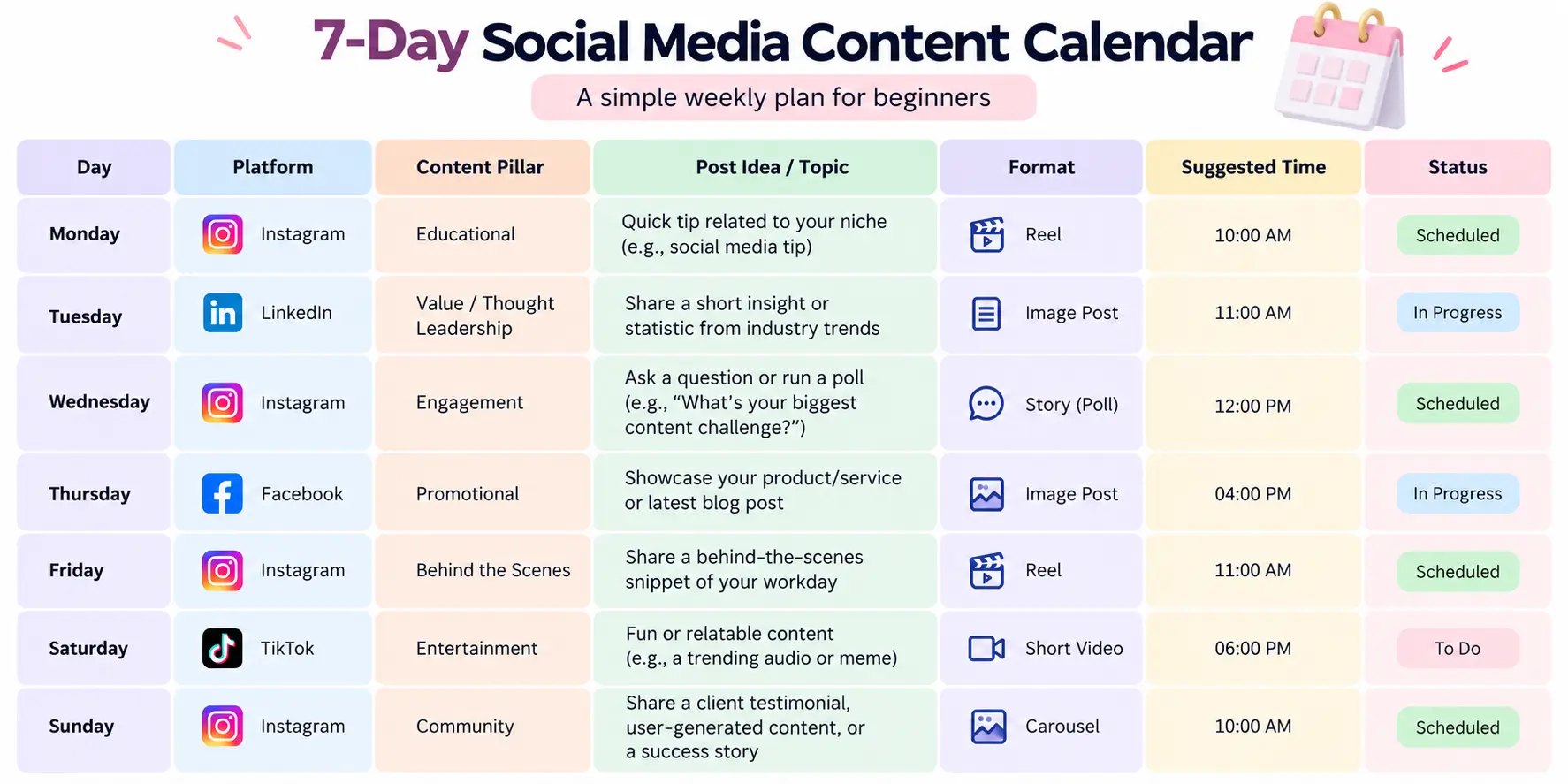
Choose a home for your calendar. Beginners can start free with Google Sheets or Notion, which are flexible and easy to share. Once you manage several platforms or want automatic publishing, a scheduler such as Buffer, Later, or Hootsuite saves time. Whichever you choose, set up the columns before adding content. The template below shows exactly which ones you need, so you can copy it into your tool of choice.
Step 7: Fill It In, Batch Your Content and Schedule
Block 60 to 90 minutes once a week or month to batch-create content, meaning you write captions, design graphics, and film videos in one sitting rather than daily. Work through your pillars so each week has variety. Then schedule posts or set reminders to publish manually. Leave one or two open slots each week for timely posts, comments, or trends. Finally, review the calendar before it goes live and check for repeated topics, missing links, and typos.
Social Media Content Calendar Template (Free Example Included)
Copy the table below into Google Sheets or Notion to start planning today.
What Should Be Included in a Content Calendar?
At minimum, include the publish date and time, platform, content pillar, format, caption or copy, asset link, call to action, and status. Add a results column after publishing so your monthly review is easy.
Sample One-Week Calendar for a Beginner
Here’s an example for a fictional home bakery posting on Instagram and Facebook:
Four posts across two platforms keeps this week realistic for someone working alone.
Best Social Media Content Calendar Tools for Beginners
What Is the Best Free Tool for a Content Calendar?
The best tool is the one you’ll actually use. Google Sheets and Notion offer free plans and handle everything a beginner needs. Many schedulers also offer limited free plans, though features and limits change, so check current pricing.
When to Upgrade to a Paid Scheduler
Upgrade when manual posting eats your time, when several people need approvals, or when you want analytics and publishing in one dashboard.
Common Content Calendar Mistakes to Avoid
- Overplanning. Filling every slot for three months leaves no room to adapt.
- Too many platforms. Spreading thin lowers quality everywhere.
- Ignoring analytics. A calendar you never review can’t improve.
- No flexibility. Keep buffer slots for news, trends, and replies.
- Skipping the strategy. A calendar without goals is just a posting schedule.
- Copying the same post everywhere. Adapt format and tone to each platform.
How to Review and Improve Your Calendar Monthly
Spend 20 minutes at the end of each month reviewing results. Compare your posts by pillar and format, then note your top three and bottom three performers. Track the metrics tied to your goals, such as follower growth, saves, clicks, or leads. Repeat what worked, cut what didn’t, and adjust next month’s calendar accordingly.
Frequently Asked Questions
What should be included in a social media content calendar?
A social media content calendar should include the publish date and time, platform, content pillar or theme, post format, caption or copy, visual asset link, call to action, and status. Many beginners also add a performance column to record results, which makes it easier to see what works.
How far ahead should I plan my social media content?
Beginners should plan two to four weeks ahead. That is long enough to batch-create content and spot gaps, but short enough to stay flexible when trends or results change. Once you are comfortable, move to a monthly calendar and keep a few open slots for timely or reactive posts.
How often should I post on social media?
There is no universal number. Beginners are better off choosing a frequency they can sustain, such as three to five posts per week on one or two platforms, then adjusting based on engagement data. Consistency matters more than volume, so start small and increase only when your workflow handles it comfortably.
What is the best tool for a social media content calendar?
The best tool is the one you will actually use. Beginners can start with a free Google Sheets or Notion template, then move to a scheduler such as Buffer, Later, or Hootsuite once they manage multiple platforms or need automatic publishing, approvals, and analytics in one place.
How many content pillars should I have?
Most beginners do well with three to five content pillars. Pillars are recurring themes, such as education, behind-the-scenes, social proof, and promotion, that keep your feed varied and on-brand. Too many pillars dilute your message and make planning harder, while too few can make your content repetitive.
What is the difference between a content calendar and a content strategy?
A content strategy defines why you post: your goals, audience, and messaging. A content calendar defines what, where, and when you publish. The strategy comes first and guides the calendar. Without a strategy, a calendar is just a posting schedule; without a calendar, a strategy rarely turns into consistent action.
Conclusion
A social media content calendar isn’t about rigid rules. It’s about making consistency easy. Start small: choose one platform, set a realistic posting frequency using the capacity formula, plan two weeks of content, and review the results. Each month, your calendar will get smarter and your posting will get easier. Copy the template above, block out your first planning session this week, and schedule your first post before the week ends.